Kimi Code
Moonshot AI's terminal-native coding agent with official IDE integrations, open-source CLI tooling, command execution, and model-backed workflows for multi-step development tasks.
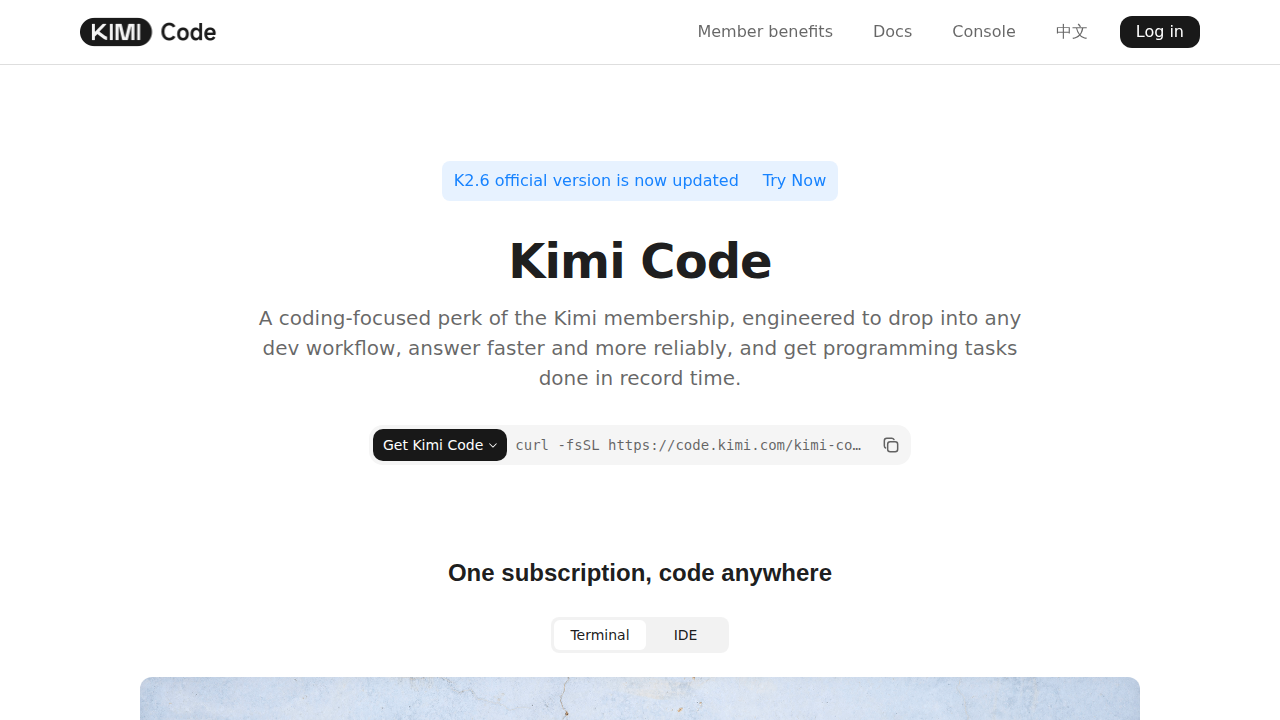
Kimi Code: A Cursor Alternative for Terminal-First Developers Who Want IDE Flexibility
Kimi Code is a terminal-native AI coding agent from Moonshot AI. It combines code reading, file editing, command execution, and web-aware workflows in a CLI that can also plug into IDEs like VS Code, JetBrains, and Zed. As a Cursor alternative, it is best suited for developers who like terminal-centric workflows but want more flexibility around IDE integrations and Moonshot's model ecosystem.
Kimi Code vs. Cursor: Quick Comparison
| Kimi Code | Cursor | |
|---|---|---|
| Type | CLI Agent | Standalone IDE (VS Code fork) |
| Pricing | Free tier, then $19, $39, $99, or $199 per month through Kimi membership | Free / $20 / $40 per month |
| LLM choice | Kimi flagship coding models via stable kimi-for-coding model ID | Built-in models plus bring-your-own-key options |
| Offline / local models | No | No |
| Open source | Yes, the CLI repo is open source | No |
| Codebase indexing | Yes | Yes |
| Multi-file edits | Yes | Yes |
Key Strengths
- Terminal-first workflow with real agent behavior: Kimi Code is built as a genuine CLI agent rather than a lightweight shell helper. The official docs describe code reading, file editing, shell command execution, web search, and action adjustment inside the same workflow, which makes it suitable for multi-step engineering tasks instead of just one-shot code generation.
- Broader editor reach than a pure terminal tool: The product is not locked to one surface. Moonshot documents a VS Code extension and ACP-based usage in JetBrains and Zed, so developers who move between terminal and editor workflows can keep the same agent instead of switching products for each environment.
- Open source CLI with an active release cadence: The official GitHub repository is public and actively maintained, with frequent releases and a visible issue queue. That matters for teams who want inspectable tooling, reproducible installs, and a clearer signal about how quickly the vendor is iterating.
Known Limitations
- Cloud dependence is still central: Even though the CLI itself is open source, actual coding capability depends on Kimi's service or compatible credentials. That means it is not a local-model-first agent in the same sense as some BYOK or self-hosted alternatives.
- Product naming and migration may confuse some buyers: Moonshot is evolving Kimi Code CLI into the broader Kimi Code product. The docs explain the migration path, but teams that value long-term stability in naming, packaging, and command references may need a short onboarding period.
Best For
Kimi Code is a strong fit for developers who want a terminal-first coding agent but do not want to stay limited to the terminal forever. It works especially well for people who like driving refactors, file edits, and shell operations from a CLI, then continuing work inside VS Code, JetBrains, or Zed.
It also makes sense for engineering teams that value open-source tooling on the client side. If you want a public repo, visible release history, and an official path into editor integrations without abandoning the terminal, Kimi Code is more adaptable than many closed coding agents.
Pricing
- Adagio: Free. Includes the base Kimi membership tier, with no listed Kimi Code quota multiplier.
- Moderato: $19/month or $15/month billed annually. Includes 1x Kimi Code quota.
- Allegretto: $39/month or $31/month billed annually. Includes 5x Kimi Code quota.
- Allegro: $99/month or $79/month billed annually. Includes 15x Kimi Code quota.
- Vivace: $199/month or $159/month billed annually. Includes 30x Kimi Code quota.
Prices are subject to change. Check the official pricing page for current details.
Tech Details
- Type: CLI Agent
- IDEs: CLI, VS Code extension, JetBrains via ACP, Zed via ACP, plus terminal/Zsh workflows
- Key features: code reading, file editing, shell command mode, web search/fetch, MCP support, ACP support, editor integrations
- Privacy / hosting: Cloud service through Kimi membership and API access; self-hosted runtime is not publicly documented
- Models / context window: Kimi's coding service uses the stable
kimi-for-codingmodel ID; exact current context window for Kimi Code is not publicly documented on the official overview page
When to Choose This Over Cursor
- Choose Kimi Code if you want one agent that starts in the terminal but has an official path into VS Code, JetBrains, and Zed.
- Choose it if an open-source client matters for trust, inspection, or internal evaluation.
- Choose it if Kimi's membership model and bundled coding quota are easier for your team to budget than raw API token billing.
When Cursor May Be a Better Fit
- Cursor may be a better fit if your team is already standardized on Anthropic models and wants the most direct experience around that ecosystem.
- Cursor may be simpler if you prefer a narrower, stable product story without the ongoing CLI-to-platform migration that Kimi is documenting.
- Cursor may also be preferable if you want to avoid a membership-style quota model and instead pay directly for API usage.
What Kimi Code Actually Changes in Daily Work
The biggest practical difference is that Kimi Code behaves like a terminal agent that is designed to stay useful after the first prompt. Many CLI assistants can answer questions about code, but fewer are built around a loop of reading files, editing them, executing commands, and iterating when the first attempt is incomplete.
That makes Kimi Code a credible option for developers who already spend large parts of the day inside a shell. You can use it for repository exploration, repetitive refactors, command-heavy setup work, and navigation tasks that would normally bounce between terminal, browser, and editor.
The official docs also make it clear that Kimi is trying to avoid the "single-surface" trap. Instead of treating the terminal as the only home, it exposes the same product family through a VS Code extension and ACP integrations for additional editors.
How the IDE Integration Matters
A lot of tools in this category either start as an editor feature or stay trapped in the CLI. Kimi Code is more interesting because it sits in between those worlds. That is useful when one task is easier to steer in a terminal, while another is easier to inspect in a graphical editor with files, tabs, and diffs visible at once.
For teams using JetBrains or Zed, the ACP support is especially relevant. It means Kimi Code is not limited to the VS Code ecosystem, which is still a common limitation among AI coding tools that claim broad compatibility but really only ship polished support for one editor.
Developers who work across multiple machines may also appreciate that the same agent can stay consistent across terminal and editor contexts. That reduces the cognitive cost of switching between products that each have different commands, limits, shortcuts, and integration assumptions.
Open Source Positioning
Kimi Code's open-source CLI is one of its strongest differentiators. For many buyers, this does not mean they will fork it or audit every line. It means they can inspect how the client behaves, track release velocity in public, and judge whether the product looks active or stagnant.
That visibility also helps technical evaluators inside companies. A public repository with frequent releases, visible issues, and documented commands creates a more reviewable procurement story than a completely opaque desktop binary with vague promises about agent behavior.
Open source on the client side does not make the service local-first, and it does not eliminate vendor dependence. But it still creates a more inspectable and flexible surface than many closed alternatives in the same category.
Pricing Model and Budget Fit
The official pricing page frames Kimi Code as part of the broader Kimi membership stack. Instead of paying purely per token in a raw API style, buyers choose a membership tier and get a stated Kimi Code quota multiplier. That makes the product easier to forecast for some teams, especially if they want predictable monthly budget bands.
The tradeoff is that quota-based plans can feel less transparent than direct usage pricing when you are trying to model extreme usage. If your team wants an editor-native product with a simpler seat-based buying motion, Cursor may still feel more straightforward.
On the other hand, for individual developers or small teams who dislike variable bills, the Kimi approach may be easier to understand. Free entry, then fixed monthly steps, is often simpler to compare across tools than open-ended usage charges.
Practical Use Cases
Kimi Code is a good fit for repository onboarding. You can ask it to inspect project structure, explain key files, and then immediately follow up with edits or command execution in the same session. That is more efficient than using a read-only chat tool and a separate terminal.
It is also useful for repetitive cleanup work. Tasks like renaming symbols, updating repetitive config blocks, adjusting scripts, or validating changes with shell commands map well to the product's documented workflow.
For developers who regularly work inside editors like JetBrains but still rely on CLI automation, Kimi Code can act as a bridge rather than forcing a full workflow reset. That is one of the clearest reasons to evaluate it instead of just another generic AI coding assistant.
Who Should Probably Skip It
If your team wants strong guarantees around local execution or a self-hosted model path, Kimi Code is not the obvious answer from public documentation. The value proposition is centered on Moonshot's cloud service, not on a local-first architecture.
If you want the simplest possible product story, the ongoing evolution from Kimi Code CLI toward Kimi Code may also feel slightly messy during evaluation. It is not a red flag, but it does mean some docs, naming, and examples may reflect a product in motion.
And if your team already has deep Anthropic workflows, prompt libraries, and operational habits built around Cursor, switching costs may outweigh the benefits unless you specifically need Kimi's editor flexibility or pricing model.
Conclusion
Kimi Code is one of the more credible terminal-based options in this market because it does not stop at the terminal. It adds official editor integrations, an open-source CLI, and a membership model that some teams will find easier to budget.
Pick it if you want a CLI coding agent that can also meet you inside VS Code, JetBrains, or Zed without abandoning the same core workflow. Stay with Cursor if Anthropic alignment, simpler product positioning, or direct API-style billing matters more to your team.
Sources
FAQ
Is Kimi Code free?
Yes, Kimi offers a free Adagio tier, but higher paid tiers provide larger Kimi Code quotas and additional benefits.
Does Kimi Code work with VS Code?
Yes. Moonshot documents an official VS Code extension, and it also supports JetBrains and Zed through ACP-based workflows.
How does Kimi Code compare to Cursor?
Cursor is a stronger fit if you want everything centered in one AI-first editor. Kimi Code stands out if you prefer a terminal-native agent with an open-source CLI and broader official IDE integration options.
Can Kimi Code run fully offline with local models?
No public official documentation positions Kimi Code as a local-model or offline-first coding agent. Its public workflow is centered on Kimi's cloud service and related credentials.
Reviews
No reviews yetSimilar alternatives in category

Claude Code
Terminal-first AI coding assistant for autonomous development tasks.

Aider — Cursor alternative
Aider is a leading open-source AI pair programming tool that allows you to edit code in your local git repository directly from the terminal or through various community GUIs.

Amp
An agentic coding tool engineered for outcomes, with no token constraints.