Visual Studio Code: A Cursor alternative for open, GitHub-backed AI editing
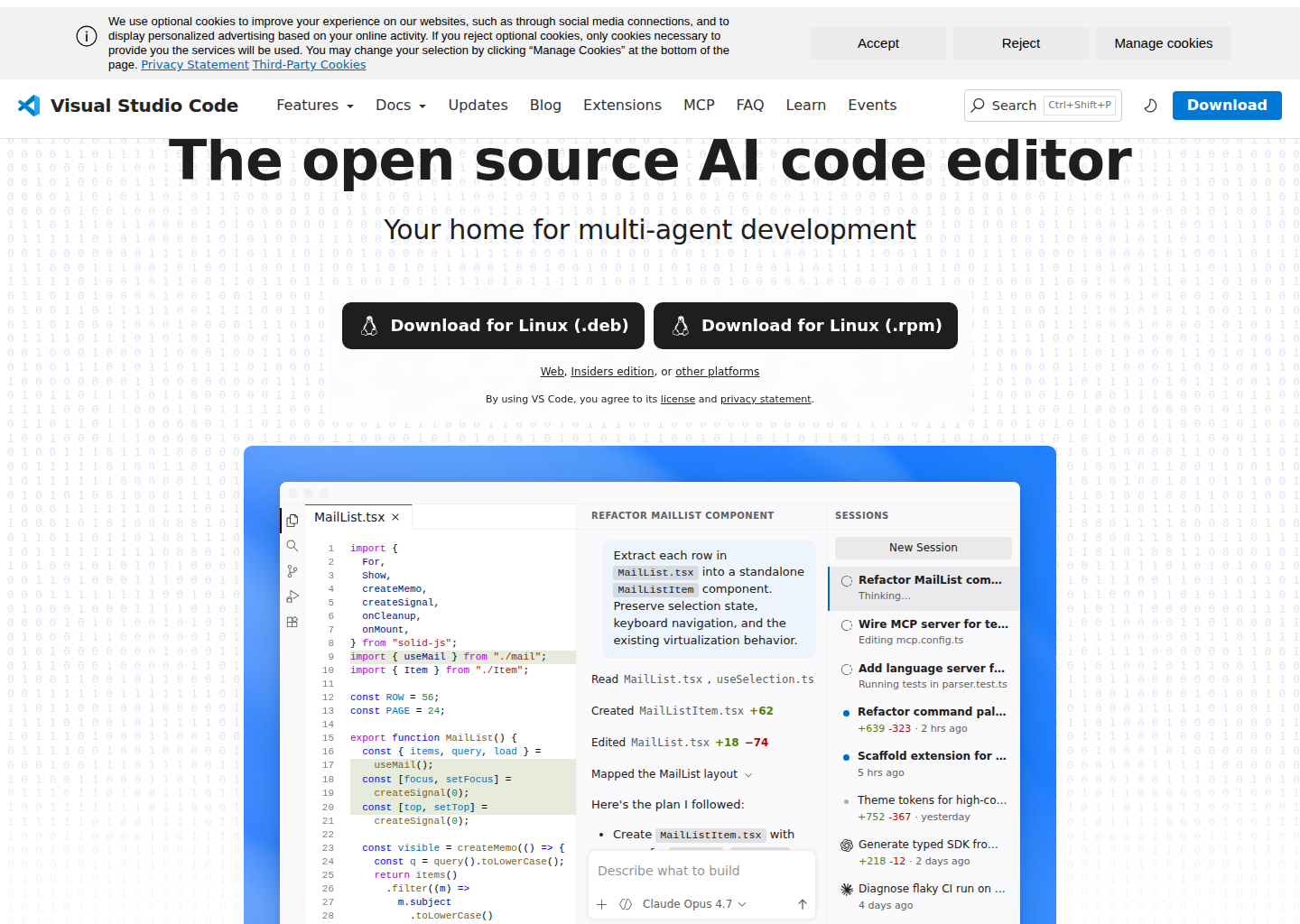
Visual Studio Code is Microsoft's free, open source AI code editor built for multi-agent development across macOS, Linux, Windows, and the browser. Its current AI stack combines the core editor, built-in chat and agent experiences, GitHub Copilot integration, and MCP connectivity for external tools. As a Cursor alternative, it targets developers who want agentic coding inside a broadly adopted editor with open-source foundations, large ecosystem support, and a workflow that can move between desktop, web, and external tools.
Visual Studio Code vs. Cursor: Quick Comparison
| Visual Studio Code | Cursor | |
|---|---|---|
| Type | Open source code editor with built-in AI and agent workflows | Standalone AI-first IDE based on a VS Code fork |
| Pricing | $0 editor, plus Copilot Free or paid Copilot plans | Free and paid plans |
| LLM choice | Copilot-backed models, BYOK options, and MCP-enabled workflows | Bundled models plus external options |
| Offline / local models | Possible through extensions and external integrations, but not the default pitch | Primarily cloud-oriented |
| Open source | Yes, editor and AI surface are positioned as open source | No |
| Codebase indexing | Repo-aware AI workflows inside the editor | Yes, integrated AI-first UX |
| Multi-file edits | Yes, through agent mode | Yes |
Key Strengths
- Free, open-source entry point with a familiar editor base: The official site positions VS Code as a free, open source AI code editor, and the FAQ confirms it is free for private or commercial use. That lowers the barrier for teams that want to test agent workflows without switching to a proprietary fork immediately. It also matters because the surrounding extension, theme, debug, and language tooling ecosystem is already one of the broadest in software development. Developers can add AI to an editor many of them already know rather than adopt a separate environment from scratch.
- Agent mode is now a first-class capability: Microsoft's April 7, 2025 agent mode announcement describes the agent as an autonomous pair programmer that can analyze a codebase, propose edits, run terminal commands, respond to build or lint failures, and continue iterating until the task is complete. That puts VS Code beyond autocomplete and single-file chat. For developers who want a mainstream editor that can execute multi-step work rather than only suggest snippets, this is the core reason it belongs in the Cursor comparison set.
- MCP and extension ecosystem create practical workflow breadth: VS Code's AI story is not only about the built-in agent. The product explicitly supports MCP servers and tools contributed by VS Code extensions. That means the agent can be connected to issue trackers, cloud tooling, databases, browsers, note-taking apps, or internal systems without needing Microsoft to hardcode every workflow. For real engineering teams, this matters more than flashy demos because the useful part of an agent often starts when it can reach the systems around your repository.
- Multi-agent session management is built into the editor narrative: The official homepage emphasizes parallel agent sessions in one view, session tracking across environments, and a single place to monitor active work. That makes VS Code more than a chat window attached to an editor. It points toward a workflow where developers actively supervise multiple streams of AI work while still coding manually in the same environment. Teams that like one control surface for active agent tasks may prefer this integrated session model over bouncing between separate tools.
- Flexible adoption path: VS Code can be used on desktop, in the browser, with AI enabled, or with AI fully disabled. That optionality is a real strength. Some teams want full agent workflows only on a subset of projects; others want the editor but not always the AI. The FAQ documents how to disable AI features and notes that if you do not sign in to Copilot, your data is not sent to Copilot backend services. That makes VS Code easier to deploy incrementally in mixed environments than tools that assume everyone will use the AI stack all the time.
Known Weaknesses
- The experience is more modular than monolithic: VS Code's strength is its ecosystem, but that also means the AI experience can feel less tightly opinionated than a dedicated AI IDE. You may use the core agent, Copilot plans, MCP servers, external tools, and extensions together rather than relying on one vertically integrated product layer. For some teams that is flexibility. For others it feels like assembly work.
- GitHub account and Copilot dependencies still matter: The homepage's "start building with AI agents for free" promise is tied to a GitHub account, and the FAQ makes clear that Copilot plans remain a separate service. If a team wants an AI editor experience with fewer platform dependencies or without GitHub-centered identity and billing, VS Code may not feel as self-contained as it first appears.
- Open source editor does not mean every AI backend layer is open: The FAQ explicitly says the models used by GitHub Copilot are licensed separately and are not open source. That does not remove VS Code from consideration, but it is an important tradeoff. Teams that want an entirely open local stack will still need to evaluate how much of their workflow depends on Microsoft's or third-party hosted model services.
Best For
Visual Studio Code is best for developers and teams that already trust the editor, want agent workflows without abandoning the mainstream VS Code ecosystem, and prefer a gradual adoption path. It is especially well suited to organizations that need one editor surface for manual coding, extension-driven customization, and AI assistance that can scale from lightweight completion to multi-step agent runs. It is also a strong fit for cross-platform teams because the product is available on the major desktop operating systems and has a web client for lighter work.
It is less ideal for developers who want a single-purpose AI IDE with a stronger opinionated product identity around coding agents from day one. Those users may prefer a tool where the AI workflow is the entire product, not a powerful layer built into a broader editor platform. VS Code is strongest when you value breadth, openness, and ecosystem leverage more than a highly specialized AI-first shell.
Pricing
- VS Code editor: $0. VS Code is free for private or commercial use.
- GitHub Copilot Free: $0 with 2,000 completions per month, access to selected models, and Copilot CLI according to GitHub's official Copilot plan page.
- GitHub Copilot paid plans: Pro is $10 per user per month, Pro+ is $39 per month, and Max is $100 per month based on GitHub's official pricing pages.
Prices are subject to change. Check the official VS Code site, the FAQ, and GitHub Copilot pricing for current details.
Technical Details
- Models supported: Copilot-backed models including the officially listed free-plan selection, plus broader capabilities through paid Copilot plans and extension-driven integrations.
- Context window: Not publicly documented as one editor-wide number because model access depends on the connected Copilot plan or extension path.
- IDE / platform: Desktop editor on macOS, Linux, and Windows, plus VS Code for the Web.
- Offline / local models: Not the core default story, but the extension ecosystem and MCP paths make custom integrations possible.
- Codebase indexing: Repo-aware AI workflows inside the editor; agent mode is designed for multi-step coding tasks across a codebase.
- API access: Yes, through the extension model, MCP support, and platform APIs for AI-related integrations.
- Open source: Yes for the editor foundation and AI code surface positioning, while Copilot backends and models remain separately licensed.
- AI controls: Built-in AI can be disabled if a user or workspace does not want chat and suggestion features active.
How It Compares to Cursor
Visual Studio Code and Cursor are close in day-to-day intent but different in product philosophy. Cursor is an AI-first IDE with a tighter bundled experience, while VS Code offers agentic coding inside a broader, open-source editor platform. If your priority is ecosystem compatibility, cross-platform support, a web client, and one of the deepest extension catalogs in development tooling, VS Code is easier to justify operationally.
Cursor still has the advantage when you want an IDE whose identity is centered on AI workflows and whose UX is optimized around that from the ground up. VS Code is stronger when your team wants optionality: one editor that can host manual coding, parallel agent sessions, MCP-based tool expansion, and a gradual ramp from free usage to paid Copilot capacity. The tradeoff is that you may need to assemble more of your preferred workflow yourself.
Conclusion
Choose Visual Studio Code if you want a credible agentic development environment without leaving the mainstream editor ecosystem. It combines free access, open-source foundations, strong extension support, MCP connectivity, and an increasingly capable agent mode. For teams that want AI assistance inside a general-purpose editor they can standardize on, VS Code is one of the most practical options in the market.
Sources
- Visual Studio Code Official Site
- VS Code Agent Mode Announcement
- VS Code FAQ
- GitHub Copilot Plans
- Hacker News discussion
- Third-party comparison
FAQ
Is Visual Studio Code free?
Yes. Microsoft states that VS Code is free for private or commercial use, and GitHub also offers a $0 Copilot Free plan for getting started with AI features.
Does Visual Studio Code work in the browser?
Yes. The official site links to VS Code for the Web, which is useful for quick edits, lightweight reviews, and access from environments where you do not want to install the desktop editor.
How does Visual Studio Code compare to Cursor?
VS Code gives you a more open and ecosystem-driven setup, while Cursor gives you a more tightly packaged AI-first IDE. VS Code is better for teams that want flexibility and standardization; Cursor is better when you want a dedicated AI product experience.
Can I turn off AI features in Visual Studio Code?
Yes. The FAQ documents a setting for disabling built-in AI functionality, which hides chat and inline AI features and disables the Copilot extensions in VS Code.
Reviews
No reviews yetSimilar alternatives in category
Windsurf
Windsurf is the world's most advanced AI coding assistant for developers and enterprises. Windsurf Editor — the first AI-native IDE that keeps developers in flow.

Zed
High-performance, multiplayer code editor with integrated AI assistance from the creators of Atom.

Tabby
Self-hosted AI coding assistant offering open-source, on-premises alternative to GitHub Copilot.