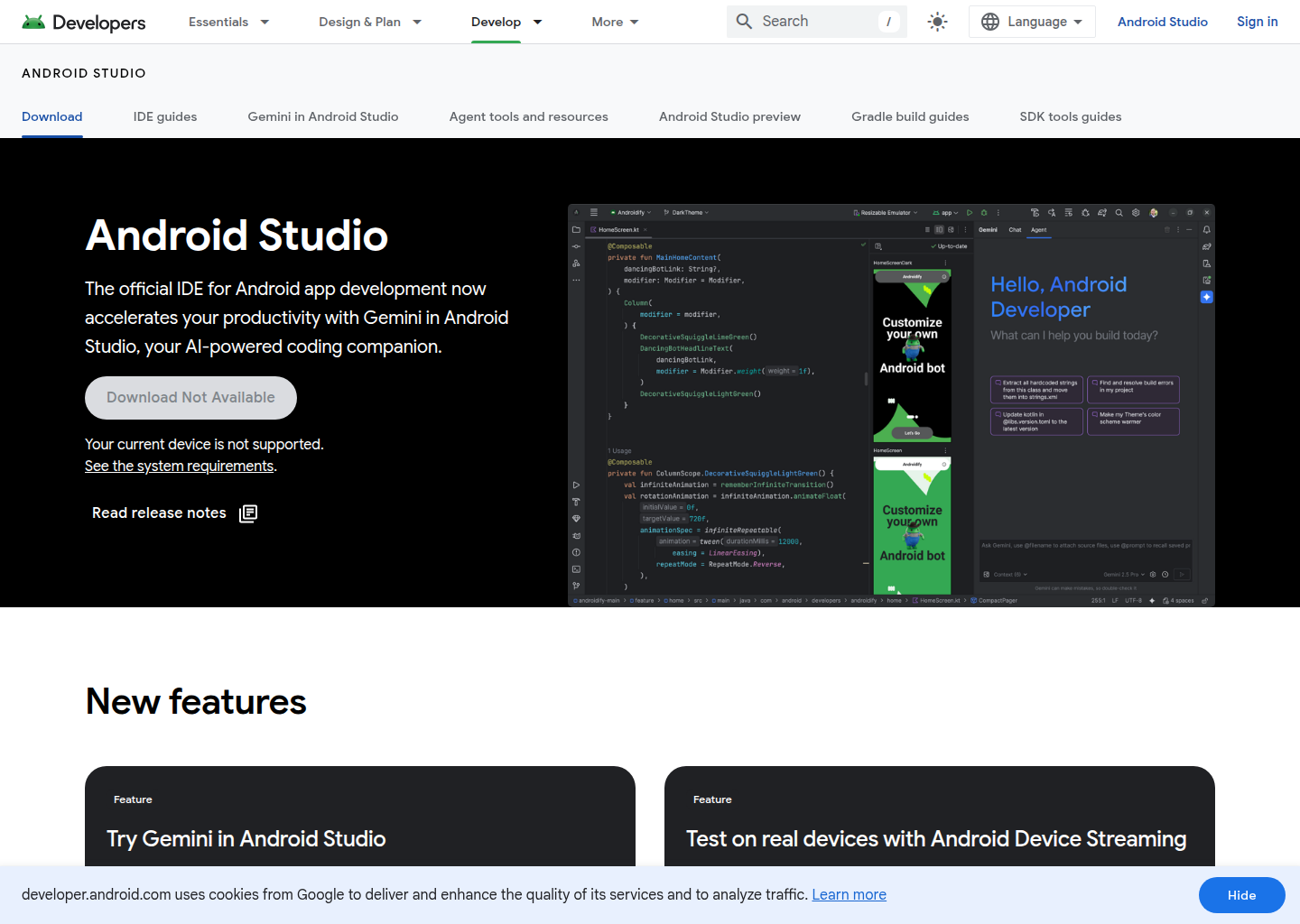
Android Studio Panda 4: A Cursor Alternative for Android developers who want AI-assisted planning, editing, and project work inside the official Google IDE
Android Studio Panda 4 is a AI IDE developed by Google. It integrates Gemini-powered planning and agent workflows directly into the official Android development environment instead of asking mobile teams to leave the platform they already use. As a Cursor alternative, it targets Android developers who want AI-assisted planning, editing, and project work inside the official Google IDE.
Android Studio Panda 4 vs. Cursor: Quick Comparison
| Tool | Cursor | |
|---|---|---|
| Type | Official Android AI IDE | Standalone IDE (VS Code fork) |
| Pricing | Free base IDE, optional AI subscriptions | Free / $20 / $40 per month |
| LLM choice | Gemini-centered | Built-in models + own key |
| Offline / local models | No | No |
| Open source | No | No |
| Codebase indexing | Android-project focused assistance | Yes (automatic) |
| Multi-file edits | Yes | Yes |
Key Strengths
- Deep Android-native fit: Android Studio Panda 4 matters because it brings agentic features to the tool mobile teams already use instead of asking them to retrofit a generic AI IDE into platform-specific work. Planning Mode, Next Edit Prediction, and Gemini integration all live inside the official Android environment. For Android-first teams, that native fit can outweigh the attraction of a broader editor.
- Official Google workflow alignment: The product benefits from first-party alignment with Android tooling, Gradle workflows, previews, and Google services. That does not automatically make it the smartest AI assistant in every case, but it does reduce friction for teams that care about platform compatibility and staying close to official guidance. In practice, that is a bigger advantage than feature checklists alone suggest.
- Useful planning and prediction features: Panda 4 is not only about chat. The release notes highlight Planning Mode and Next Edit Prediction, which means the product is trying to help with structuring work and anticipating code changes, not only answering questions. That kind of assistance can be more valuable than autocomplete when the real problem is orchestration inside a mobile project.
- Strong choice for Android-specialized teams: A generic AI coding tool may be better across many languages, but Android Studio Panda 4 is more specialized and therefore more credible for Kotlin, Gradle, Android APIs, and app lifecycle tasks. Teams that ship Android products every day may prefer specialization over generality. That is especially true when a tool becomes part of onboarding and standard team practice.
Known Weaknesses
- Narrower than general-purpose coding tools: Panda 4 is a serious option for Android work, but it is not a universal answer for every codebase or every engineering stack. Teams working across many platforms may still need a broader AI assistant elsewhere. Its strength is specialization, which also defines its limit.
- AI upgrades are partly tied to Google subscriptions: The base IDE is free, but enhanced agent limits connect to Google AI Pro and Ultra subscriptions. That means some of the most ambitious AI usage depends on Google's broader plan structure rather than on Android Studio alone. Teams should understand that the experience is partly shaped by another subscription layer.
Best For
Android Studio Panda 4 is best for Android engineers and teams that want AI where their real mobile work already happens. It is particularly strong when Android is not a side project but the main product surface, because the IDE can support project planning, editing, and platform-specific flows without forcing a workflow transplant. For mobile specialists, that directness matters more than having the most fashionable cross-platform AI editor.
Pricing
- Android Studio: Free according to the official Android Studio page and release materials.
- Enhanced Agent Mode access: The Panda 4 release notes say enhanced Agent Mode is available when you subscribe to Google AI Pro or Google AI Ultra.
- Google AI plans: The official Google AI plans page also links Android Studio benefits to Google AI Pro and Google AI Ultra for expanded or higher Gemini limits.
Prices are subject to change. Check the official pricing pages for current details.
Technical Details
- Models supported: Gemini-powered assistance is the public focus, with expanded or higher limits tied to Google AI plan subscriptions rather than a broad bring-your-own-model matrix
- Context window: Not publicly documented
- IDE / platform: AI IDE
- Offline / local models: No
- Codebase indexing: Not presented as generic multi-repo indexing; the emphasis is Android project assistance, planning, prediction, and Google ecosystem workflows
- API access: No public platform API is central to the product positioning; the value is in the IDE and connected Gemini capabilities
- Open source: No
Workflow Fit
The workflow fit is straightforward: if the team already uses Android Studio, Panda 4 adds agentic capabilities without requiring a second development home. Planning Mode and Next Edit Prediction sit naturally alongside normal Android tasks like UI implementation, dependency updates, and build debugging. That lets the AI layer assist the existing motion of work instead of redefining it from scratch.
Implementation Notes
Implementation should treat Panda 4 as an Android productivity layer, not as a universal AI replacement for everything else a team uses. The right rollout question is whether Android developers will benefit enough from first-party AI assistance to justify standardizing on the new features and, where needed, related Google AI subscriptions. Teams with strong Android ownership are more likely to answer yes than mixed-stack teams.
Migration Considerations
Moving from Cursor to Android Studio Panda 4 is not about editor aesthetics; it is about whether the Android workflow should become more platform-native or remain inside a more general AI coding environment. Cursor stays attractive for mixed-stack or cross-platform work. Panda 4 becomes compelling when Android specialization, first-party fit, and lower context switching are more important than a generic all-language editor experience.
Team Adoption
Team adoption is easier when the organization already uses Android Studio as the standard IDE. There is less change-management overhead because the AI features arrive inside a familiar environment. The main adoption decision then becomes how much the team wants to rely on Gemini-driven planning and premium limits versus treating the new features as an optional productivity boost.
Governance and Cost Control
Governance here is mostly about deciding whether to keep Android AI assistance inside the Google stack rather than inside a third-party AI IDE. That can simplify some operational questions, but it also ties part of the experience to Google AI plan policy and availability. Teams that already buy into Google's developer ecosystem may consider that a reasonable trade; others may want more vendor diversity.
Who Should Skip It
Panda 4 is a weaker fit for teams that do little Android work, that standardize on a different cross-platform editor for everything, or that want broader model choice than the public Gemini-centered workflow provides. In those environments, its specialization becomes overhead instead of leverage.
Decision Framework
A practical framework is to ask whether Android is important enough to justify a first-party AI IDE. If yes, Panda 4 is worth serious attention because it aligns directly with the platform's tooling and release model. If no, a general assistant may deliver more value across the rest of the stack.
Practical Scenarios
Strong scenarios include dedicated Android teams, mobile startups building primarily on Android, and mixed organizations where the Android group wants less editor hopping. Weaker scenarios include web-heavy teams with occasional Android work and organizations that prioritize one cross-platform AI editor over specialized native tools. Panda 4 shines when Android is central, not incidental.
Selection Verdict
Overall, Android Studio Panda 4 earns a place in a Cursor-alternatives directory because it offers a real answer for Android specialists who want AI help without leaving the official Google IDE. It is not trying to win every software workflow. It is trying to make one important workflow much tighter, and for the right team that is exactly the correct tradeoff.
How It Compares to Cursor
Compared with Cursor, Android Studio Panda 4 is much more specialized and much more native to Android development. Panda 4 is stronger when the work is deeply tied to Android APIs, builds, and Google tooling inside the official IDE. Cursor remains stronger when the team wants one general AI coding environment for many stacks and repositories.
Conclusion
Choose Android Studio Panda 4 if your team builds Android products and wants AI-assisted planning and editing inside the official IDE you already trust. It is a stronger fit than Cursor for Android-first work, while Cursor remains the better tool for general multi-platform development.
Sources
- Android Studio
- Android Studio Panda 4 release notes
- Google AI plans
- ProductCool summary
- Hunted launch dashboard
FAQ
Is Android Studio Panda 4 free?
Yes. Android Studio itself is free according to the official Android Studio page, though enhanced Agent Mode benefits can depend on Google AI Pro or Ultra subscriptions.
What makes Panda 4 different from older Android Studio releases?
The key additions highlighted in the release notes are Planning Mode, Next Edit Prediction, and stronger Gemini-powered agent workflows inside the IDE.
How does Android Studio Panda 4 compare to Cursor?
Panda 4 is better for Android-first teams that want first-party mobile tooling with AI built in. Cursor is better when the goal is one general AI coding environment across many stacks.
Who should use Android Studio Panda 4?
It is best suited to Android developers and teams who already live in Android Studio and want agentic help without changing their core development environment.
Reviews
No reviews yetSimilar alternatives in category
Windsurf
Windsurf is the world's most advanced AI coding assistant for developers and enterprises. Windsurf Editor — the first AI-native IDE that keeps developers in flow.

Zed
High-performance, multiplayer code editor with integrated AI assistance from the creators of Atom.

Tabby
Self-hosted AI coding assistant offering open-source, on-premises alternative to GitHub Copilot.