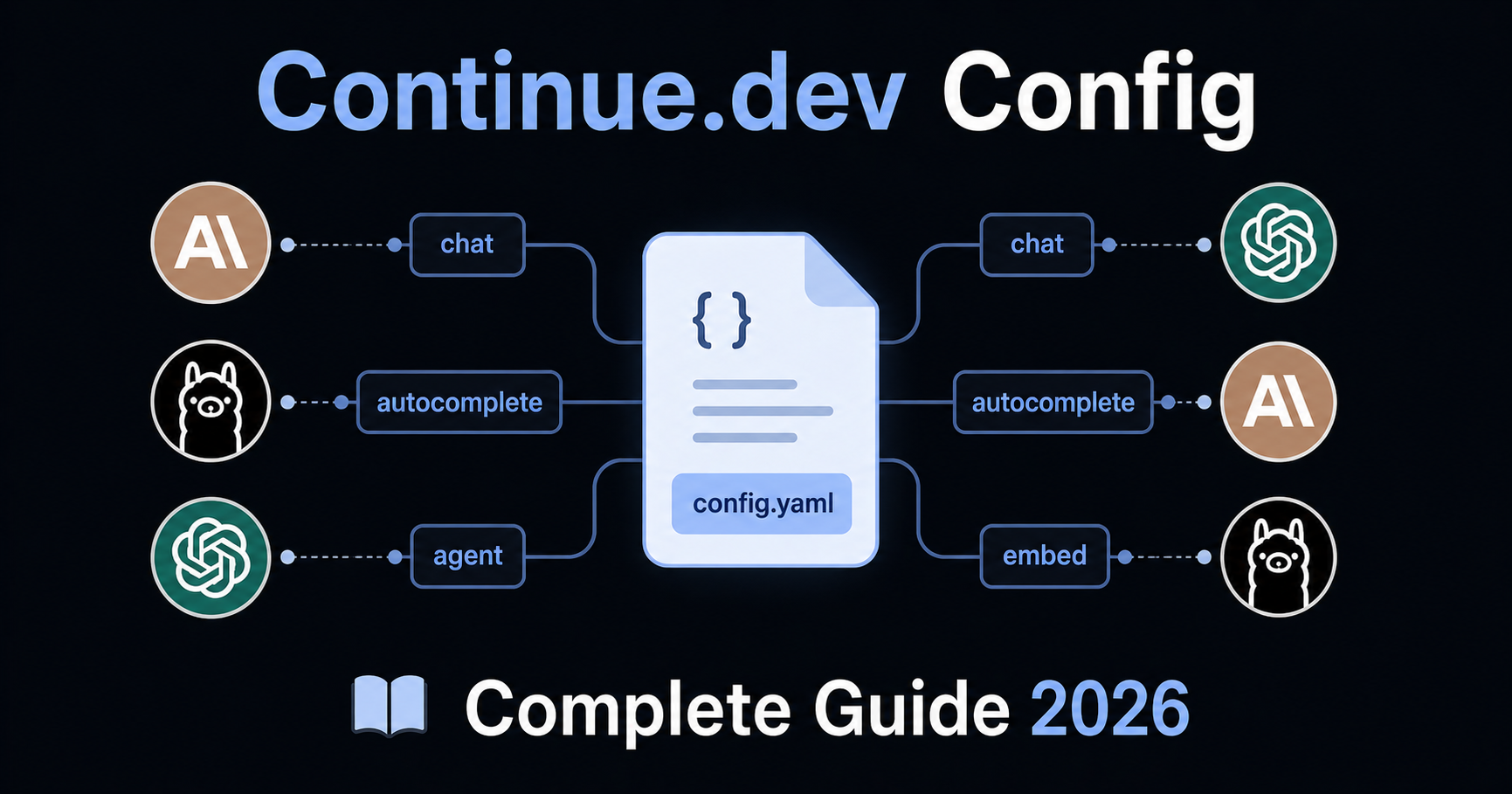
Continue.dev Rules & Config: Complete Setup Guide (2026)

Continue.dev Rules & Config: Complete Setup Guide (2026)

Last updated: April 2026 · Covers Continue with config.yaml, VS Code and JetBrains


Continue.dev is the most configurable open-source AI coding assistant available. Unlike Cursor or Windsurf — which bundle AI into a fixed IDE experience — Continue lets you design exactly how AI fits into your workflow: which models handle autocomplete vs. chat vs. agent tasks, what rules shape the AI's behaviour, which context sources it draws from, and which MCP tools it can use.

That flexibility comes with a learning curve. This guide covers Continue's full configuration system: the config.yaml format, the rules system, model setup for different roles, context providers, MCP integration, and ready-to-use templates for common stacks.


1. How Continue Loads Configuration

Continue reads configuration from two levels:

Level Location Scope
Global ~/.continue/config.yaml (macOS/Linux) or %USERPROFILE%\.continue\config.yaml (Windows) All workspaces — personal defaults, preferred models, global rules
Workspace .continue/ folder in your project root This project only — project-specific rules, models, tools

Priority: Workspace configuration extends and overrides global configuration. Rules defined in the workspace .continue/rules/ folder are automatically active when working in that project, regardless of the global config.

Opening your config

In VS Code: open the Continue sidebar → click the config dropdown in the top-right of the chat input → select the cog icon next to "Local Config". The file opens in your editor and Continue reloads automatically when you save.

Config format: YAML (recommended) vs JSON

Continue supports both config.yaml (current recommended format) and the legacy config.json. If config.yaml exists, it takes precedence. New projects should use YAML — it is more readable, supports the full feature set including the new rules system, and is the format Continue will build on going forward.


2. The Rules System

Rules are the primary way to give Continue standing instructions about how to write code in your project. They are plain Markdown files stored in .continue/rules/ at your workspace root, and they are loaded automatically whenever you work in that project.

Setting up rules

Create the rules directory at your project root:

your-project/
├── .continue/
│   └── rules/
│       ├── general.md
│       ├── typescript.md
│       └── testing.md
├── src/
└── package.json

Files are loaded in lexicographical order. Prefix filenames with numbers to control order: 01-general.md, 02-typescript.md, 03-testing.md.

Rule file format

Each rule file is a Markdown document with an optional YAML frontmatter block:

---
name: TypeScript Standards
globs: "**/*.{ts,tsx}"
alwaysApply: false
description: Coding standards for TypeScript and React files
---

# TypeScript Standards

- Strict mode enabled. No `any` types — use `unknown` and narrow it.
- Named exports for all components and utilities. No default exports except Next.js pages.
- Arrow functions for callbacks. Regular function declarations for top-level functions.
- Maximum function length: 40 lines. Extract helpers if longer.
- Optional chaining (`?.`) and nullish coalescing (`??`) preferred over manual null checks.

Frontmatter properties

Property Type What it does
name string Display name shown in the UI
globs string or array Rule is activated when files matching this pattern are in context. E.g. "**/*.py"
regex string or array Rule is activated when file content matches this regex
alwaysApply boolean If true, rule is always included regardless of context. If false, AI decides based on description
description string When alwaysApply: false, the AI reads this to decide if the rule is relevant

When to use alwaysApply

alwaysApply: true (or no frontmatter at all) — for rules that apply to every interaction regardless of what files are open. Use this for general behaviour rules, communication style, and universal conventions.

alwaysApply: false with globs — for rules that only apply when specific files are in context. A Python rule should not load when you are working on TypeScript files. Use this to keep token consumption manageable in large projects.

alwaysApply: false with description — for specialized rules where the AI should decide based on context. Example: a security review rule that the AI applies only when it detects authentication-related code.

Global rules in config.yaml

For short, universal rules, you can also define them directly in config.yaml instead of a separate file:

rules:
  - Always respond in the same language the user writes in
  - Prefer explicit types over type inference in TypeScript
  - Never use console.log — use the project logger utility

These apply to all workspaces where this config is active.


3. config.yaml — Full Reference

The config.yaml file controls models, rules, context, tools, and prompts. Here is a complete working example with the most important options:

name: My Dev Config
version: 1.0.0
schema: v1

# ── Models ─────────────────────────────────────────────────────────────────

models:
  # Primary chat model
  - name: Claude Sonnet 4.6
    provider: anthropic
    model: claude-sonnet-4-6
    roles:
      - chat
      - edit
      - agent
    apiKey: ${{ secrets.ANTHROPIC_API_KEY }}

  # Fast autocomplete model — separate from chat for speed
  - name: Claude Haiku
    provider: anthropic
    model: claude-haiku-4-5-20251001
    roles:
      - autocomplete
    apiKey: ${{ secrets.ANTHROPIC_API_KEY }}
    autocompleteOptions:
      debounceDelay: 300
      maxPromptTokens: 1024

  # Local fallback via Ollama
  - name: Ollama Codestral
    provider: ollama
    model: codestral:latest
    roles:
      - autocomplete

# ── Rules ──────────────────────────────────────────────────────────────────

rules:
  - Give concise responses. Skip preamble — get to the answer.
  - When creating new files, check if a similar one already exists first.
  - Never delete files without asking for confirmation.

# ── Context providers ──────────────────────────────────────────────────────

context:
  - name: codebase        # @codebase — semantic search across indexed repo
  - name: diff            # @diff — current git diff
  - name: terminal        # @terminal — output from last terminal command
  - name: problems        # @problems — current lint/type errors in editor
  - name: folder          # @folder — all files in a folder
  - name: docs            # @docs — index external documentation
    params:
      sites:
        - name: React
          startUrl: https://react.dev/reference/react
        - name: Prisma
          startUrl: https://www.prisma.io/docs

# ── MCP tools ──────────────────────────────────────────────────────────────

mcpServers:
  - name: filesystem
    command: npx
    args: ["-y", "@modelcontextprotocol/server-filesystem", "/path/to/project"]

# ── Custom prompts ─────────────────────────────────────────────────────────

prompts:
  - name: review
    description: Review this code for bugs and issues
    prompt: |
      Please review the following code carefully. Look for:
      - Logic errors and edge cases
      - Security vulnerabilities
      - Performance issues
      - Missing error handling
      - Anything inconsistent with the project conventions

      Provide specific, actionable feedback. Reference line numbers where relevant.

Model roles

The roles field tells Continue which capability each model handles:

Role What it powers
chat The main chat interface
autocomplete Inline code completions as you type
edit Inline edits triggered from the editor
agent Agent mode for autonomous multi-step tasks
embed Codebase indexing and semantic search
rerank Reranking search results for better relevance
apply Applying AI-generated diffs to your files

Best practice: Use a fast, cheap model for autocomplete (local Ollama or Claude Haiku) and a more capable model for chat and agent. This keeps completions instant without burning through expensive API tokens.


4. Model Configuration by Provider

Anthropic (Claude)

models:
  - name: Claude Sonnet 4.6
    provider: anthropic
    model: claude-sonnet-4-6
    roles: [chat, edit, agent]
    apiKey: ${{ secrets.ANTHROPIC_API_KEY }}
    defaultCompletionOptions:
      temperature: 0.1
      maxTokens: 8192

OpenAI

models:
  - name: GPT-4o
    provider: openai
    model: gpt-4o
    roles: [chat, edit]
    apiKey: ${{ secrets.OPENAI_API_KEY }}

Google Gemini

models:
  - name: Gemini 2.0 Flash
    provider: gemini
    model: gemini-2.0-flash-exp
    roles: [chat, autocomplete]
    apiKey: ${{ secrets.GEMINI_API_KEY }}

Ollama (local, free, private)

models:
  - name: Llama 3.1
    provider: ollama
    model: llama3.1:8b
    roles: [chat]
    # No API key needed — runs locally

  - name: Codestral
    provider: ollama
    model: codestral:latest
    roles: [autocomplete]
    autocompleteOptions:
      debounceDelay: 500
      maxPromptTokens: 512

Local models via Ollama keep all code processing on your machine — no external API calls, no data transmission. This is Continue's strongest privacy feature and is unmatched by any closed IDE like Cursor or Windsurf.

Using multiple models

One of Continue's key advantages is assigning different models to different roles. A practical production setup:

models:
  # Best model for complex reasoning
  - name: Claude Sonnet 4.6
    provider: anthropic
    model: claude-sonnet-4-6
    roles: [chat, edit, agent]
    apiKey: ${{ secrets.ANTHROPIC_API_KEY }}

  # Fast local model for instant completions
  - name: Codestral (local)
    provider: ollama
    model: codestral:latest
    roles: [autocomplete]

  # Embedding model for codebase indexing
  - name: Nomic Embed
    provider: ollama
    model: nomic-embed-text
    roles: [embed]

5. Project-Level Rules: .continue/rules/

This is where most of your day-to-day configuration lives. Every rule file in .continue/rules/ is automatically loaded when Continue is active in that workspace.

Recommended file structure

.continue/
  rules/
    01-general.md       # Behaviour and communication
    02-stack.md         # Tech stack constraints
    03-code-style.md    # Naming, formatting, patterns
    04-error-handling.md
    05-testing.md
    06-git.md           # Commit and workflow rules

01-general.md

---
name: General Behaviour
alwaysApply: true
---

- Give concise answers. Skip unnecessary preamble.
- If a task is ambiguous, ask one clarifying question before proceeding.
- When creating a new file, check if a similar file already exists.
- Never delete files without asking for confirmation first.
- If a task would require modifying more than 5 files, show a plan and wait for approval.

02-stack.md (example: Next.js + TypeScript + Prisma)

---
name: Tech Stack
alwaysApply: true
---

## Environment
- Framework: Next.js 14 with App Router. Never use Pages Router.
- Language: TypeScript 5.x strict mode. No implicit `any`.
- Database: PostgreSQL via Prisma ORM.
- Styling: Tailwind CSS only. No CSS Modules, no styled-components.
- Testing: Vitest + React Testing Library + Playwright for E2E.
- Node.js 20 LTS. ES modules only.

## File structure
- Routes: `app/`. Server components by default. Add `'use client'` only when required.
- API routes: `app/api/<resource>/route.ts`.
- Business logic: `src/services/`. Never query Prisma directly from components or routes.
- Shared types: `src/types/`.
- Reusable UI: `src/components/`.

03-code-style.md

---
name: Code Style
globs: "**/*.{ts,tsx,js,jsx}"
alwaysApply: false
description: Coding style rules for TypeScript and JavaScript files
---

- Functional components only. No class components.
- Named exports for all components and utilities. No default exports except Next.js pages.
- Props interfaces defined directly above the component.
- Arrow functions for callbacks. Regular functions for top-level declarations.
- Maximum function length: 40 lines. Extract helpers if longer.
- Maximum 3 levels of nesting. Prefer early returns.
- No `var`. Prefer `const`. Use `let` only when reassignment is needed.

04-error-handling.md

---
name: Error Handling
globs: "**/*.{ts,tsx}"
alwaysApply: false
description: Error handling patterns for TypeScript files
---

- All async functions must use try/catch.
- Service functions return `{ data: T } | { error: string }` — never throw across layer boundaries.
- Never swallow errors silently. Always log or propagate.
- Use the project's logger utility (`src/lib/logger.ts`) — never `console.log` in production code.
- Custom error classes go in `src/lib/errors.ts`.

05-testing.md

---
name: Testing Standards
globs: "**/*.test.{ts,tsx}"
alwaysApply: false
description: Testing conventions and patterns
---

- Test files live next to source files: `Button.tsx` → `Button.test.tsx`.
- Every test covers: happy path + one error state + one edge case minimum.
- Use `userEvent` from `@testing-library/user-event`, not `fireEvent`.
- Do not mock the module under test.
- Test names describe behaviour: "should display error when API call fails" not "error test".
- Playwright E2E tests go in `tests/e2e/`.

06-git.md

---
name: Git Conventions
alwaysApply: true
---

- Do not add `console.log` statements to any file.
- Run `npm run typecheck` before marking a task complete.
- Do not install new packages without asking first.
- Commit message format: `<type>(<scope>): <description>`. Types: feat, fix, docs, refactor, test, chore.

6. Context Providers

Context providers are the @mention system in Continue's chat. They let you bring specific information into the AI's context on demand.

Most useful context providers

context:
  - name: codebase      # @codebase — semantic search across your indexed repo
  - name: diff          # @diff — shows current git diff
  - name: terminal      # @terminal — pastes last terminal output
  - name: problems      # @problems — current lint/type errors from the editor
  - name: folder        # @folder — adds all files in a specific folder
  - name: tree          # @tree — shows directory structure
  - name: open          # @open — adds all currently open editor tabs
  - name: docs          # @docs — index and search external documentation
    params:
      sites:
        - name: React Docs
          startUrl: https://react.dev/reference/react
          favicon: https://react.dev/favicon.ico
        - name: Prisma
          startUrl: https://www.prisma.io/docs/orm/overview
        - name: Tailwind
          startUrl: https://tailwindcss.com/docs/installation

Using context in practice

In the Continue chat panel, type @ to see available context providers:

@codebase where is the authentication middleware applied?

@diff review these changes for security issues

@terminal the build is failing with this error, what is wrong?

@problems fix all type errors in the current file

@docs (React) how do I use the new use() hook?

7. Custom Prompts (Slash Commands)

Prompts are reusable templates you invoke with /command in the chat panel. They replace the deprecated customCommands system from config.json.

Defining prompts in config.yaml

prompts:
  - name: review
    description: Review code for bugs, security, and style issues
    prompt: |
      Review the following code carefully. Check for:
      - Logic errors and missing edge cases
      - Security vulnerabilities (injection, auth bypass, data exposure)
      - Performance problems
      - Missing error handling
      - Inconsistencies with project conventions

      Be specific. Reference line numbers. Prioritize by severity.

  - name: test
    description: Write comprehensive unit tests for the selected code
    prompt: |
      Write a complete test suite for this code using Vitest and React Testing Library.
      Cover: happy path, error states, edge cases, and boundary conditions.
      Use `userEvent` not `fireEvent`. Do not mock the module under test.

  - name: explain
    description: Explain this code in plain language
    prompt: |
      Explain this code clearly. Cover:
      1. What it does (the goal)
      2. How it works (the mechanism)
      3. Any non-obvious decisions or gotchas
      Keep the explanation concise. Assume the reader is a competent developer.

  - name: commit
    description: Write a conventional commit message for current changes
    prompt: |
      Write a conventional commit message for these changes.
      Format: <type>(<scope>): <description>
      Types: feat, fix, docs, refactor, test, chore
      Keep the description under 72 characters, imperative mood.
      Add a body only if the change is complex or non-obvious.

Use them in chat by typing /review, /test, etc.

File-based prompts

For longer or more complex prompts, store them as .md files in .continue/prompts/:

.continue/
  prompts/
    review.md
    security-audit.md
    pr-description.md

Each file uses frontmatter to define the prompt metadata:

---
name: Security Audit
description: Perform a security review of the selected code
invokable: true
---

Review this code for security vulnerabilities. Focus on:
- Input validation and sanitization
- Authentication and authorization checks
- SQL injection and command injection risks
- Sensitive data exposure (logs, error messages, API responses)
- Dependency vulnerabilities

For each issue found, explain: what it is, why it matters, and how to fix it.

8. MCP Tools Integration

Continue supports any MCP (Model Context Protocol) server, letting you extend the AI's capabilities with custom tools — database access, deployment systems, web search, and more.

Adding MCP servers in config.yaml

mcpServers:
  # Filesystem access
  - name: filesystem
    command: npx
    args: ["-y", "@modelcontextprotocol/server-filesystem", "/your/project/path"]

  # PostgreSQL database
  - name: postgres
    command: npx
    args: ["-y", "@modelcontextprotocol/server-postgres"]
    env:
      POSTGRES_CONNECTION_STRING: ${{ secrets.DATABASE_URL }}

  # GitHub integration
  - name: github
    command: npx
    args: ["-y", "@modelcontextprotocol/server-github"]
    env:
      GITHUB_TOKEN: ${{ secrets.GITHUB_TOKEN }}

  # Web search via Brave
  - name: brave-search
    command: npx
    args: ["-y", "@modelcontextprotocol/server-brave-search"]
    env:
      BRAVE_API_KEY: ${{ secrets.BRAVE_API_KEY }}

Once configured, MCP tools appear automatically in Continue's agent mode. The AI can call them when needed to complete tasks.


9. Managing Secrets and API Keys

Continue resolves secrets from multiple sources in this order:

  1. .env file at your project root
  2. .continue/.env file in the workspace
  3. ~/.continue/.env in your home directory
  4. Environment variables in your shell

Recommended approach: .env file

# .env — add to .gitignore, never commit
ANTHROPIC_API_KEY=sk-ant-...
OPENAI_API_KEY=sk-...
GEMINI_API_KEY=...
DATABASE_URL=postgresql://...
GITHUB_TOKEN=ghp_...

Reference in config.yaml:

apiKey: ${{ secrets.ANTHROPIC_API_KEY }}

Continue's secrets. namespace automatically looks up the key from your .env files and shell environment.


10. Ready-to-Use config.yaml Templates

Template 1: Full-stack TypeScript (Next.js + Prisma)

name: Next.js TypeScript Config
version: 1.0.0
schema: v1

models:
  - name: Claude Sonnet 4.6
    provider: anthropic
    model: claude-sonnet-4-6
    roles: [chat, edit, agent]
    apiKey: ${{ secrets.ANTHROPIC_API_KEY }}

  - name: Claude Haiku (autocomplete)
    provider: anthropic
    model: claude-haiku-4-5-20251001
    roles: [autocomplete]
    apiKey: ${{ secrets.ANTHROPIC_API_KEY }}
    autocompleteOptions:
      debounceDelay: 300
      maxPromptTokens: 1024

rules:
  - Skip preamble. Get to the answer.
  - Never use console.log. Use the project logger at src/lib/logger.ts.
  - Do not install packages without asking first.

context:
  - name: codebase
  - name: diff
  - name: problems
  - name: terminal
  - name: docs
    params:
      sites:
        - name: Next.js
          startUrl: https://nextjs.org/docs
        - name: Prisma
          startUrl: https://www.prisma.io/docs

prompts:
  - name: review
    description: Code review for bugs and style
    prompt: Review this code. Check for logic errors, security issues, and convention violations. Be specific with line numbers.
  - name: test
    description: Write Vitest unit tests
    prompt: Write comprehensive Vitest + React Testing Library tests. Cover happy path, error states, and edge cases. Use userEvent not fireEvent.

Template 2: Python + FastAPI

name: Python FastAPI Config
version: 1.0.0
schema: v1

models:
  - name: Claude Sonnet 4.6
    provider: anthropic
    model: claude-sonnet-4-6
    roles: [chat, edit, agent]
    apiKey: ${{ secrets.ANTHROPIC_API_KEY }}

  - name: Codestral (local)
    provider: ollama
    model: codestral:latest
    roles: [autocomplete]
    autocompleteOptions:
      debounceDelay: 400
      maxPromptTokens: 512

rules:
  - Python 3.12+. Type hints everywhere.
  - PEP 8. Max line length 88 (Black formatter).
  - Async/await for all route handlers and service functions.
  - All Pydantic schemas use response_model= in route decorators.
  - Run pytest after completing each task.

context:
  - name: codebase
  - name: diff
  - name: terminal
  - name: problems
  - name: docs
    params:
      sites:
        - name: FastAPI
          startUrl: https://fastapi.tiangolo.com
        - name: Pydantic
          startUrl: https://docs.pydantic.dev/latest

prompts:
  - name: test
    description: Write pytest tests
    prompt: Write comprehensive pytest tests. Cover happy path, error conditions, and edge cases. Use pytest-asyncio for async functions.

Template 3: Privacy-first local setup (no cloud APIs)

name: Local Privacy Config
version: 1.0.0
schema: v1

models:
  - name: Llama 3.1 70B
    provider: ollama
    model: llama3.1:70b
    roles: [chat, edit, agent]

  - name: Codestral
    provider: ollama
    model: codestral:latest
    roles: [autocomplete]
    autocompleteOptions:
      debounceDelay: 500
      maxPromptTokens: 512

  - name: Nomic Embed
    provider: ollama
    model: nomic-embed-text
    roles: [embed]

rules:
  - Prefer explicit types over type inference.
  - Always ask before modifying files outside the current feature scope.

context:
  - name: codebase
  - name: diff
  - name: problems

This setup keeps all code on your machine — zero external API calls, zero data transmission.


11. Troubleshooting

Rules are not being applied

Confirm your rules directory exists at the project root:

your-project/.continue/rules/your-rule.md

Not inside src/ or a subdirectory. Then close and reopen VS Code, or reload the Continue extension.

Test that a rule is loading by asking in chat: "What coding rules are you following?" If the rule does not appear in the response, the file is not being read — check the directory path and filename.

Autocomplete is slow or not triggering

Increase the debounceDelay if it triggers too eagerly (causing API costs), or decrease it if completions feel slow:

autocompleteOptions:
  debounceDelay: 350   # milliseconds after keystroke before request fires
  maxPromptTokens: 512 # reduce for faster completions at lower quality

For fastest autocomplete, use a local Ollama model for the autocomplete role.

The codebase context provider is returning irrelevant results

Re-index the codebase: open the Continue panel → click the three-dot menu → "Sync Codebase Index". Then check your workspace .gitignore — Continue respects it by default and will not index files listed there.

Model is not following my rules

Rules defined in .continue/rules/ with alwaysApply: true should always be included. If a rule is being ignored, check two things:

First — is the rule specific enough? "Write clean code" is not actionable. "Maximum function length: 40 lines" is.

Second — is your rule file too long? Long rule files cause the AI to deprioritize rules near the bottom. Keep each file under 100 lines and split into multiple focused files if needed.

Switching between configs for different projects

Continue supports multiple named configs. Create project-specific configs in .continue/config.yaml at each project root. The correct config loads automatically when you open that workspace.


Related

Enjoyed this article?

Share it with your network