Last updated: April 2026 · Covers Aider with Claude Sonnet 4.6, GPT-4o, and local models
Aider is a terminal-first AI coding agent with deep git integration. Unlike IDE-based tools, it works entirely from the command line — making it scriptable, CI/CD-ready, and model-agnostic. But to get consistent, high-quality output across sessions, you need to configure it correctly.
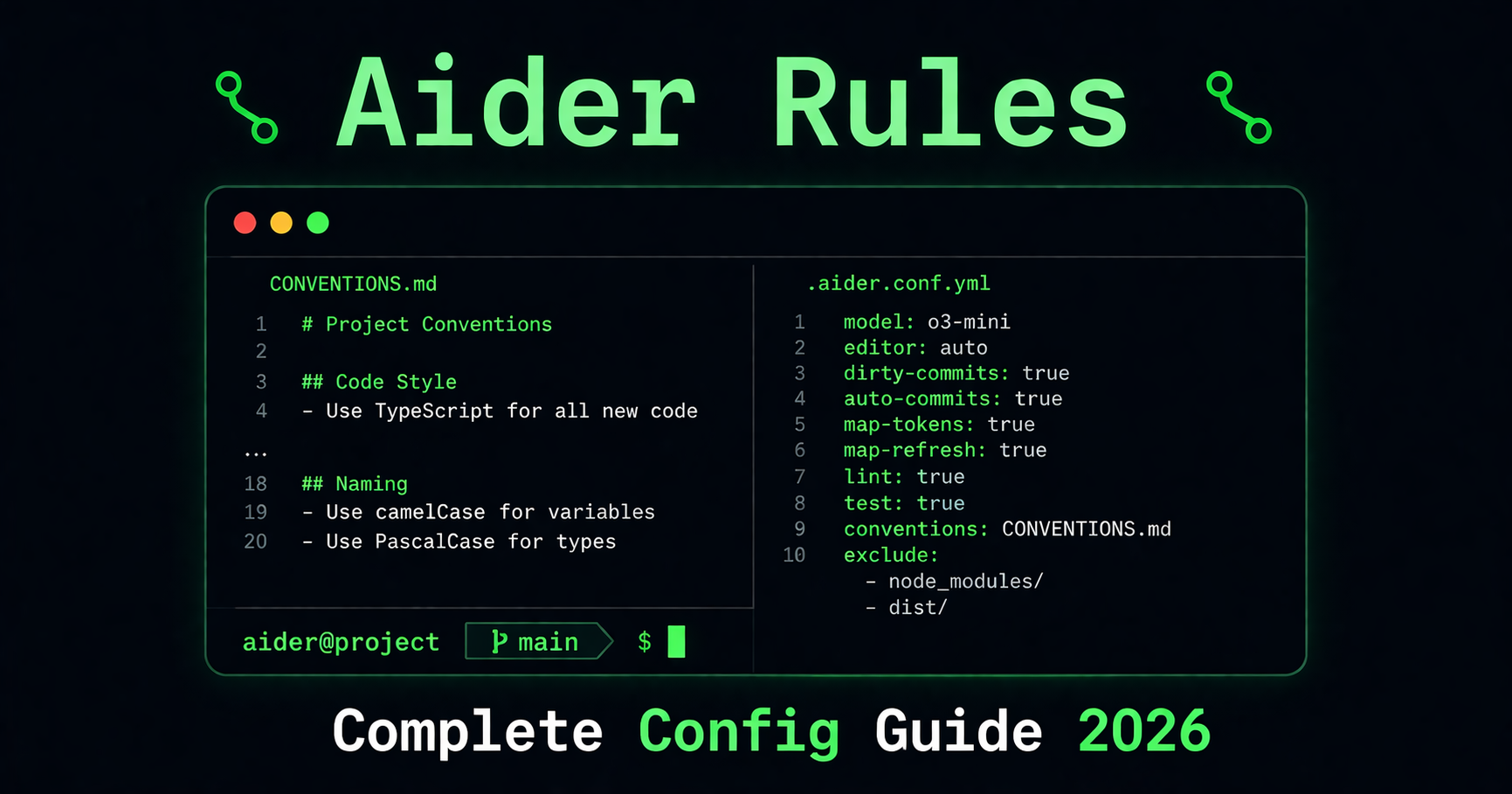
This guide covers Aider's full configuration system: the CONVENTIONS.md coding standards file, the .aider.conf.yml settings file, .aiderignore for controlling what Aider sees, model configuration, and ready-to-use templates for common stacks.
1. How Aider Loads Configuration
Aider reads configuration from four sources, applied in this priority order (later sources override earlier ones):
| Source | Location | What it controls |
|---|---|---|
| Home config | ~/.aider.conf.yml |
Personal defaults across all projects |
| Repo config | .aider.conf.yml in git root |
Project-specific settings |
| Current dir config | .aider.conf.yml in current directory |
Override for subdirectory work |
| CLI flags | aider --model ... etc. |
Session-level overrides |
| Environment variables | AIDER_MODEL, AIDER_AUTO_COMMITS, etc. |
Shell-level configuration |
Practical consequence: Put personal preferences (your default model, API key path, UI preferences) in ~/.aider.conf.yml. Put project-specific settings (lint commands, auto-test, ignored files) in the repo-level .aider.conf.yml. Commit the repo config — it is project infrastructure.
2. CONVENTIONS.md — Your Coding Standards File
CONVENTIONS.md is how you give Aider standing instructions about how to write code in your project. It is a plain Markdown file that you load into every Aider session — manually or automatically via config.
Why CONVENTIONS.md matters
Without a conventions file, Aider defaults to its model's training data. It will write valid code, but it may not match your project's naming conventions, error-handling patterns, file structure, or testing approach. A well-written CONVENTIONS.md eliminates the need to repeat these instructions in every session.
Loading CONVENTIONS.md
Single session:
aider --read CONVENTIONS.md
Automatically on every session (via .aider.conf.yml):
read: CONVENTIONS.md
Multiple convention files:
read:
  - CONVENTIONS.md
  - docs/api-standards.md
What to put in CONVENTIONS.md
Write imperative instructions — what Aider should do, not what you prefer. Be specific and measurable. Avoid vague directives like "write clean code."
# Project Conventions

## Language and environment
- TypeScript 5.x, strict mode. Node.js 20 LTS.
- No `any` types. Use `unknown` and narrow it.
- ES modules only — no CommonJS `require()`.

## File structure
- Components go in `src/components/<ComponentName>/index.tsx`.
- API routes go in `src/app/api/<resource>/route.ts`.
- Shared utilities go in `src/lib/utils/`.

## Code style
- Functional components only. Named exports for all components.
- Arrow functions for callbacks and short functions.
- Maximum function length: 40 lines. Extract if longer.
- Prefer early returns over nested if blocks.

## Error handling
- All async functions must use try/catch.
- Service functions return `{ data: T } | { error: string }` — never throw across layer boundaries.
- Never swallow errors silently.

## Testing
- Vitest + React Testing Library for unit tests.
- Test happy path + one error state + one edge case minimum.
- Tests live next to source files: `Button.tsx` → `Button.test.tsx`.

## Git behaviour
- Do not add console.log to any file.
- Run `npm run typecheck` before completing any task.
- Do not install new packages without asking first.
What NOT to put in CONVENTIONS.md
- Business logic — "if the user is on a free plan, don't show the export button." That belongs in code, not in Aider's instructions.
- One-time instructions — "today, rename all
btnclasses tobutton." Say this in the chat instead. - Obvious defaults — "use good variable names." Aider already follows standard conventions; restating them wastes context.
- Very long explanations — Aider needs the rule, not the backstory. "Use Zustand, not Redux" is better than three paragraphs explaining the history.
Token budget
Every line in CONVENTIONS.md is included in every Aider request. Keep it under 200 lines for reliable rule adherence. Beyond that, Aider may deprioritize rules at the bottom of the file as the conversation grows.
3. .aider.conf.yml — The Main Config File
.aider.conf.yml controls Aider's operational behaviour — not what code it writes (that's CONVENTIONS.md), but how Aider itself runs.
File locations and priority
Aider searches for .aider.conf.yml in:
- Your home directory (
~/.aider.conf.yml) — personal defaults - The git repo root — project settings, should be committed
- The current working directory — for monorepo subdirectory work
Minimal recommended project config
# .aider.conf.yml — commit this to git

# Always load conventions
read: CONVENTIONS.md

# Model
model: claude-sonnet-4-6

# Git behaviour
auto-commits: true
attribute-author: true
attribute-committer: true

# Linting (adapt to your stack)
auto-lint: true
lint-cmd:
  - "typescript: npm run typecheck"
  - "javascript: npm run lint"
  - "python: flake8"

# Auto-test after each change
auto-test: false
# test-cmd: npm test

# Ignore file
aiderignore: .aiderignore
Full reference of commonly used options
Model selection:
model: claude-sonnet-4-6          # Primary model
weak-model: claude-haiku-4-5-20251001  # Used for lightweight tasks (commit messages etc)
editor-model: claude-sonnet-4-6   # Used for applying edits
Git settings:
auto-commits: true         # Auto-commit after each change (recommended)
dirty-commits: true        # Allow commits when repo has uncommitted changes
attribute-author: true     # Show "Co-authored-by: aider" in commits
git-commit-verify: false   # Skip pre-commit hooks (useful in CI)
Quality gates:
auto-lint: true            # Run linter after every change
auto-test: false           # Run test suite after every change (slower but safer)
lint-cmd:
  - "typescript: npm run typecheck"
  - "python: flake8 --select=E,W"
  - "go: go vet ./..."
test-cmd: npm test
Context and files:
read:
  - CONVENTIONS.md
  - docs/architecture.md  # Read-only context, not editable
map-tokens: 1024           # Tokens allocated to the repo map (increase for large repos)
map-refresh: auto          # How often to refresh the repo map
Behaviour:
yes-always: false          # Never auto-confirm destructive operations
stream: true               # Stream responses as they generate
verbose: false             # Quiet output
multiline: false           # Single-line input mode (default)
4. .aiderignore — Controlling What Aider Sees
.aiderignore uses the same syntax as .gitignore and tells Aider which files and directories to exclude from its repo map and context. This is important for large projects — you do not want Aider reading build artifacts, generated files, or unrelated parts of a monorepo.
Basic .aiderignore
# Build output and dependencies
node_modules/
dist/
build/
.next/
__pycache__/
*.pyc
.venv/

# Generated files
*.generated.ts
*.pb.go
prisma/migrations/

# Large assets
public/images/
*.mp4
*.zip
*.pdf

# Environment and secrets
.env
.env.*
*.key
*.pem

# Editor and OS
.DS_Store
.vscode/
*.swp
Monorepo focus — only work on one package at a time
When working in a large monorepo, create multiple .aiderignore files for different contexts:
.aiderignore.frontend — when working on the web app:
# Ignore everything except the web app
/*
!apps/
!apps/web/
!apps/web/**
!packages/
!packages/ui/
!packages/ui/**
!CONVENTIONS.md
Then load it with:
aider --aiderignore .aiderignore.frontend
Or add to .aider.conf.yml:
aiderignore: .aiderignore.frontend
5. Model Configuration
Choosing a model
Aider works with virtually every major AI provider through LiteLLM. For most projects, Claude Sonnet 4.6 delivers the best balance of code quality, context handling, and cost.
# Claude Sonnet 4.6 (recommended for most projects)
aider --model claude-sonnet-4-6

# GPT-4o
aider --model gpt-4o

# Gemini 2.0 Flash (fast, cheaper)
aider --model gemini/gemini-2.0-flash

# Local model via Ollama (free, private)
aider --model ollama/codellama:34b
Setting API keys
The cleanest approach is a .env file in your project root (or home directory):
# .env — never commit this file
ANTHROPIC_API_KEY=sk-ant-...
OPENAI_API_KEY=sk-...
GEMINI_API_KEY=...
Aider automatically reads .env on startup. Add .env to your .gitignore and .aiderignore.
Alternatively, set environment variables in your shell profile (~/.zshrc or ~/.bashrc):
export ANTHROPIC_API_KEY=sk-ant-...
Model-specific settings (.aider.model.settings.yml)
For advanced users who want to fine-tune how Aider interacts with specific models:
# .aider.model.settings.yml
- name: claude-sonnet-4-6
  extra_params:
    max_tokens: 8192
    temperature: 0.1
6. Chat Modes
Aider has four chat modes that change how it approaches tasks:
| Mode | Command | Best for |
|---|---|---|
| code (default) | /code |
Writing, editing, and fixing code |
| architect | /architect |
High-level planning before implementation |
| ask | /ask |
Questions about your codebase without making changes |
| help | /help |
Questions about Aider itself |
Using architect mode for complex tasks
For tasks touching many files or requiring non-trivial design decisions, start with architect mode to create a plan before switching to code mode:
/architect Add a rate limiting layer to all public API endpoints.
           Use Redis for the counter store. Consider the existing
           auth middleware and how rate limits should interact with it.
Aider will produce a plan. Review it, adjust if needed, then:
/code Now implement the plan above.
This two-step approach significantly reduces errors on large, cross-cutting changes.
7. In-Chat Commands Reference
The most useful Aider commands during a session:
| Command | What it does |
|---|---|
/add <file> |
Add a file to the active context for editing |
/read <file> |
Add a file as read-only context (not editable) |
/drop <file> |
Remove a file from the active context |
/ls |
List files currently in context |
/model <name> |
Switch model mid-session |
/architect |
Switch to architect (planning) mode |
/code |
Switch to code (editing) mode |
/ask |
Switch to ask (read-only) mode |
/commit |
Commit current changes with an AI-generated message |
/diff |
Show the current uncommitted diff |
/undo |
Undo the last git commit made by Aider |
/clear |
Clear the chat history (keeps files in context) |
/reset |
Clear chat history and drop all files from context |
/run <cmd> |
Run a shell command and optionally add output to context |
/lint |
Run the configured linter on current files |
/test |
Run the configured test command |
Pro tip: /read for architecture context
When working on a complex task, use /read to give Aider read-only access to reference files it should understand but not modify:
/read src/types/api.ts
/read docs/architecture.md
/add src/services/userService.ts
Now Aider understands the type contracts and architecture without risking edits to your reference documents.
8. Ready-to-Use CONVENTIONS.md Templates
Template 1: Next.js 14 + TypeScript + Prisma
# Conventions — Next.js 14 / TypeScript / Prisma

## Environment
- Next.js 14 App Router. TypeScript strict mode. Node.js 20.
- Database: PostgreSQL via Prisma ORM.
- Styling: Tailwind CSS only.
- Testing: Vitest + React Testing Library.

## Structure
- Routes go in `app/`. Never use `pages/`.
- Server components by default. Add `'use client'` only when required.
- API routes: `app/api/<resource>/route.ts`.
- Business logic: `src/services/`. Never query Prisma directly from components.
- Shared types: `src/types/`.

## Code style
- Named exports only. No default exports except Next.js pages.
- Functional components. No class components.
- No `any`. Use `unknown` and narrow it.
- Max 40 lines per function.

## Error handling
- Service functions return `{ data: T } | { error: string }`.
- All async code uses try/catch.
- Never throw across layer boundaries.

## Git
- Run `npm run build` after significant changes.
- Do not add `console.log` to production files.
- Do not install packages without asking.
Template 2: Python + FastAPI + SQLAlchemy
# Conventions — FastAPI / Python / SQLAlchemy

## Environment
- Python 3.12+. Type hints everywhere.
- Web framework: FastAPI. ORM: SQLAlchemy 2.0 async.
- Package manager: Poetry.
- Testing: pytest + pytest-asyncio.

## Structure
- Routers: `app/routers/<resource>.py` — thin, no business logic.
- Services: `app/services/` — all business logic here.
- Models: `app/models/`.
- Schemas (Pydantic): `app/schemas/`.
- Repositories: `app/repositories/` — all DB queries.

## Code style
- `async def` for all route handlers and service functions.
- All route handlers use `response_model=` with a Pydantic schema.
- No raw dicts in responses.
- PEP 8. Max line length 88 (Black).

## Error handling
- Custom exceptions in `app/exceptions.py`.
- Handlers registered in `app/main.py`.
- Never expose internal errors to clients.
- Use `try/except` with explicit rollback for DB operations.

## Git
- Run `pytest` after completing a task.
- Run `mypy` before completing any task touching type annotations.
- New DB model → generate migration with `alembic revision --autogenerate`.
Template 3: Go + Gin + PostgreSQL
# Conventions — Go / Gin / PostgreSQL

## Environment
- Go 1.22+. Gin web framework. pgx for PostgreSQL.
- No ORM. Raw SQL with parameterized queries via pgx.
- Testing: standard `testing` + testify.

## Structure
- Entrypoints: `cmd/`
- Handlers: `internal/handlers/`
- Services: `internal/services/`
- Repository (DB): `internal/repository/`
- Models: `internal/models/`

## Code style
- Errors returned, never panicked (except main init).
- Every exported function has a godoc comment.
- `context.Context` as first param in all service and repo functions.
- Interfaces defined in the package that uses them.

## Error handling
- Handlers translate errors to HTTP status. Services never set status codes.
- Log full error internally. Return generic message to client.

## Git
- Run `go build ./...` and `go vet ./...` after completing each task.
- New endpoint order: model → repository → service → handler → route registration.
- Show migration SQL before applying.
Template 4: React SPA + TypeScript + Zustand + React Query
# Conventions — React SPA / TypeScript / Zustand / React Query

## Environment
- React 18, TypeScript strict, Vite.
- State: Zustand (client), React Query (server).
- Styling: Tailwind CSS.
- Testing: Vitest + React Testing Library.

## Components
- One component per file, named export, file name matches component name.
- Props interface defined above the component.
- No `useEffect` for data fetching — use React Query.
- No inline styles.

## State
- Zustand stores in `src/stores/`. One store per domain.
- Server state via React Query only — do not duplicate in Zustand.
- Store actions defined inside the store, not as standalone functions.

## Data fetching
- All API calls go through service functions in `src/services/`.
- `useQuery` for reads, `useMutation` for writes.
- Always set explicit `staleTime` — never rely on defaults.

## Git
- Run `npm run type-check` after completing each task.
- Never add a library without asking first.
- Feature implementation order: types → service → hook → component.
9. Workflow Tips
Start sessions with context, not commands
Instead of diving straight into "add a login endpoint," start by giving Aider the context it needs:
aider --read CONVENTIONS.md --read src/types/api.ts
Then in the session:
/add src/routes/auth.ts
/add src/services/authService.ts
We need to add a password reset flow. The user will receive an email
with a time-limited token. Token expires in 1 hour. Use the existing
EmailService in src/services/emailService.ts.
Use /undo when Aider goes off-track
If Aider makes a change you do not like, run /undo. This reverts the last git commit Aider made — a clean, reversible recovery with no manual git surgery required.
Script Aider for repetitive tasks
Aider is fully scriptable via CLI flags. To run a task across many files non-interactively:
aider --yes-always \
  --message "Add JSDoc comments to all exported functions" \
  src/utils/format.ts src/utils/validation.ts src/utils/date.ts
Or load a message from a file:
aider --yes-always --load task.md src/services/*.ts
CI/CD integration
Aider's --yes-always flag and headless operation make it suitable for automated pipelines:
# GitHub Actions example
- name: Run Aider linting fix
  run: |
    aider --yes-always \
          --model claude-sonnet-4-6 \
          --lint-cmd "python: flake8" \
          --auto-lint \
          --message "Fix all flake8 lint errors" \
          $(git diff --name-only HEAD~1 | grep '\.py$')
  env:
    ANTHROPIC_API_KEY: ${{ secrets.ANTHROPIC_API_KEY }}
10. Troubleshooting
Aider is not following my CONVENTIONS.md
First, confirm Aider is loading the file:
/ask What conventions are you following from CONVENTIONS.md?
If it does not mention your rules, check that the file is named exactly CONVENTIONS.md and that it is being loaded via --read CONVENTIONS.md or your .aider.conf.yml.
If it loads but ignores specific rules, the rule may be too vague or buried too deep in the file. Move critical rules to the top and make them more specific.
Aider is making changes to files I did not want it to touch
Add those files to .aiderignore, or use /read instead of /add for files you want Aider to understand but not modify.
The repo map is too large / Aider is slow on a large codebase
Use .aiderignore to exclude irrelevant directories. Also reduce the map-tokens setting:
map-tokens: 512 # Default is 1024, reduce for large repos
Aider keeps losing context in long sessions
Run /clear to reset the chat history while keeping your files in context. If rules are being forgotten, your CONVENTIONS.md may be too long — keep it under 150–200 lines.
Commit messages are not in the right format
Add a commit-prompt to your .aider.conf.yml:
commit-prompt: |
  Write a conventional commit message for these changes.
  Format: <type>(<scope>): <description>
  Types: feat, fix, docs, refactor, test, chore.
  Keep the description under 72 characters.
  Do not include a body unless the change is complex.
Related
- Cline Rules guide —
.clinerulesconfiguration for VS Code agent - Cursor Rules guide —
.cursorrulessetup with templates - Best Cursor Alternatives — full comparison including Aider
- Aider on cursor-alternatives.com — Aider overview and features