Qwen Code
Qwen Code is an open-source CLI coding agent by Alibaba's QwenLM team, optimized for Qwen series models. It runs in the terminal with multi-protocol LLM support (OpenAI, Anthropic, Gemini-compatible APIs), codebase indexing, and IDE integrations for VS Code, Zed, and JetBrains.
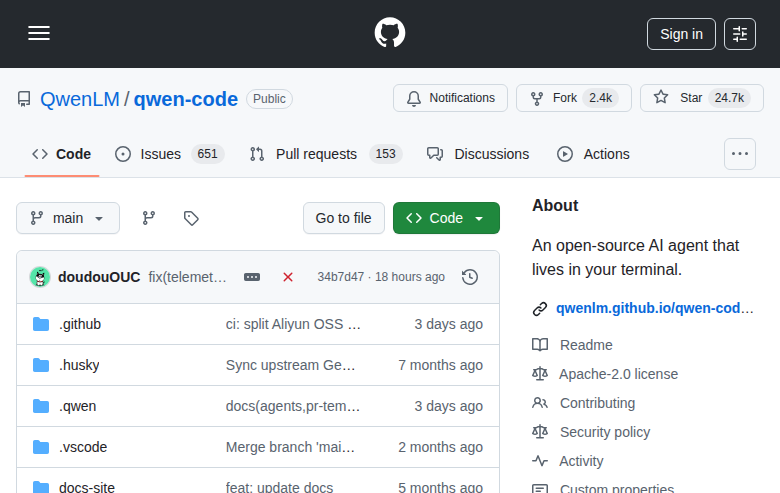
Qwen Code: A Cursor Alternative for Terminal-First AI Coding
Qwen Code is an open-source CLI coding agent developed by Alibaba's QwenLM team. It runs entirely in the terminal, optimized for the Qwen series of LLMs, with broad multi-protocol API support and deep codebase indexing. As a Cursor alternative, it targets developers who prefer command-line workflows and want model flexibility without being locked into a single provider.
Qwen Code vs. Cursor: Quick Comparison
| Qwen Code | Cursor | |
|---|---|---|
| Type | CLI Agent | Standalone IDE (VS Code fork) |
| Pricing | Free (open-source) | Free / $20 / $40 per month |
| LLM choice | OpenAI, Anthropic, Gemini-compatible, Qwen | Built-in models + own key |
| Offline / local models | Yes (Ollama-compatible endpoints) | No |
| Open source | Yes (Apache-2.0) | No |
| Codebase indexing | Yes (built-in indexer) | Yes (automatic) |
| Multi-file edits | Yes | Yes |
Key Strengths
- Multi-protocol LLM support: Qwen Code connects to any OpenAI-compatible, Anthropic, or Gemini-compatible API endpoint. This means you can route to Qwen models on Alibaba Cloud, self-hosted models via Ollama, or third-party providers without changing your workflow. The flexibility removes vendor lock-in that tools like Cursor impose through their managed model layer.
- Terminal-native architecture: Unlike Cursor, which requires a GUI, Qwen Code operates entirely in the terminal. This makes it suitable for SSH remote development, CI pipelines, headless servers, and containerized environments where a desktop IDE is impractical. You get full coding agent capabilities without any graphical dependencies.
- Codebase indexing: The agent indexes your repository locally and maintains context across multiple files. This allows it to make accurate cross-file edits and refactors without manually specifying context in every prompt, reducing the friction of working on large or unfamiliar codebases.
- IDE integrations: Despite being CLI-first, Qwen Code provides integrations for VS Code, Zed, and JetBrains IDEs, letting you trigger it from your editor while keeping the agent running in a terminal pane. This gives the best of both worlds for developers who want editor UX with CLI agent power.
Known Weaknesses
- No built-in GUI: Qwen Code has no visual interface. Developers accustomed to Cursor's inline diff view, chat sidebar, or Composer feature will need to adapt to a purely text-based interaction model, which has a steeper learning curve for non-CLI users.
- Model quality depends on your API choice: Qwen Code is model-agnostic, which is a strength, but also means the quality of suggestions depends entirely on which model you configure. Without careful setup, results can vary significantly compared to Cursor's pre-tuned model routing.
- Limited documentation for non-Qwen models: While multi-protocol support is advertised, documentation and tested configurations focus primarily on Qwen series models. Third-party model setups may require trial and error to get optimal results.
Best For
Qwen Code is best suited for developers who work primarily in the terminal, maintain remote or headless development environments, and want full control over which LLM powers their coding agent. It is particularly strong for teams already using Alibaba Cloud or Qwen models, and for open-source contributors who want a cost-free, self-hostable alternative to Cursor.
Pricing
- Free (open-source): The Qwen Code CLI is free with no usage caps. API costs depend on the provider you configure.
- Alibaba Cloud Coding Plan: Higher quotas for Qwen model API calls. Contact Alibaba Cloud for pricing details.
Prices are subject to change. Check the official repository for current details.
Technical Details
- Models supported: Qwen series (via Alibaba Cloud), any OpenAI-compatible API, Anthropic, Gemini-compatible endpoints, Ollama local models
- Context window: Depends on configured model
- IDE / platform: CLI (terminal); integrations for VS Code, Zed, JetBrains
- Offline / local models: Yes — via Ollama or compatible local endpoints
- Codebase indexing: Yes, built-in local indexer
- API access: Yes (you provide your own API keys)
- Open source: Yes, Apache-2.0
How It Compares to Cursor
Cursor is a full IDE with a polished GUI, inline AI assistance, and a curated set of models. Qwen Code trades the visual experience for terminal flexibility and model openness. Cursor wins on user experience for general-purpose development; Qwen Code wins when you need headless operation, local model support, or a zero-cost self-hosted setup. If your workflow is already terminal-heavy, Qwen Code removes the need for a separate IDE license entirely.
Conclusion
Qwen Code is the right pick for developers who prioritize terminal workflows, model flexibility, and zero licensing cost. If you need a GUI-first experience with polished inline diffs, Cursor remains stronger. But for CLI-native teams, remote server development, or cost-conscious open-source projects, Qwen Code is a technically solid and actively maintained alternative.
Sources
FAQ
Is Qwen Code free?
Yes. The Qwen Code CLI itself is free and open-source (Apache-2.0). You pay only for API calls to whichever LLM provider you configure.
Does Qwen Code work with VS Code?
Yes. Qwen Code provides a VS Code integration that lets you trigger the CLI agent from within the editor, though the primary interface remains the terminal.
How does Qwen Code compare to Cursor?
Cursor is a GUI-first IDE fork with polished AI features. Qwen Code is a terminal-native agent with broader model support and no GUI. Cursor is easier to start with; Qwen Code gives more control and works in headless environments.
Can I use Qwen Code with non-Qwen models like GPT-4 or Claude?
Yes. Qwen Code supports any OpenAI-compatible API endpoint and Anthropic's API, so you can configure it to use GPT-4, Claude, or other compatible models.
Reviews
No reviews yetSimilar alternatives in category

Claude Code
Terminal-first AI coding assistant for autonomous development tasks.

Aider — Cursor alternative
Aider is a leading open-source AI pair programming tool that allows you to edit code in your local git repository directly from the terminal or through various community GUIs.

Amp
An agentic coding tool engineered for outcomes, with no token constraints.