Potpie
Potpie is an AI-native SDLC automation platform for large-scale engineering teams. It builds custom code agents with deep codebase awareness — mapped as a knowledge graph — to automate debugging, testing, implementation planning, and root cause analysis across GitHub, Slack, Jira, and CI workflows.
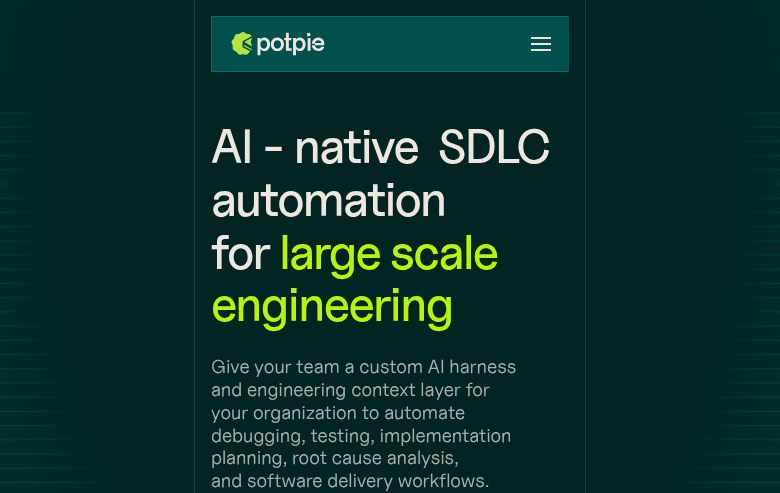
Potpie: A Cursor Alternative for AI-Native SDLC Automation at Scale
Potpie is an AI-native SDLC automation platform developed by Potpie AI, designed for large-scale engineering teams. It builds custom code agents with deep codebase awareness — represented as a knowledge graph — to automate debugging, testing, implementation planning, and root cause analysis. These agents integrate with GitHub, Slack, Jira, and CI workflows, enabling AI-assisted development at the process level rather than just at the editor level. As a Cursor alternative, it targets engineering teams that need AI embedded in their entire development lifecycle, not just their IDE.
Potpie vs. Cursor: Quick Comparison
| Potpie | Cursor | |
|---|---|---|
| Type | AI SDLC Platform / CLI Agent | Standalone IDE (VS Code fork) |
| Pricing | Free tier (50 req/month); Enterprise: custom | Free / $20 / $40 per month |
| LLM choice | Own API keys supported (unlimited with own key) | Built-in models + own key |
| Offline / local models | Not publicly documented | No |
| Open source | No | No |
| Codebase indexing | Yes (knowledge graph) | Yes (automatic) |
| Multi-file edits | Yes | Yes |
Key Strengths
- Knowledge graph codebase representation: Potpie maps your entire codebase as a knowledge graph rather than relying on simple file embeddings or in-context code snippets. This allows its agents to understand relationships between functions, modules, and services at a structural level, enabling more accurate debugging, dependency tracing, and impact analysis than tools that treat code as flat text.
- SDLC-wide integration: Unlike Cursor, which operates primarily at the editor level, Potpie integrates into GitHub (PR reviews, code analysis), Slack (developer Q&A, incident response), Jira (implementation planning from tickets), and CI pipelines (test failure analysis). This makes it a platform for automating development workflows, not just a coding assistant.
- Custom agent creation: Teams can build and deploy custom code agents trained on their specific codebase and workflows. This extensibility means Potpie can automate domain-specific tasks — like onboarding new engineers, explaining legacy code, or generating runbooks — that general-purpose tools cannot handle without significant prompting.
- Root cause analysis and debugging automation: Potpie specializes in automated RCA for bugs and incidents. Its agents trace errors through the codebase graph, identify contributing code paths, and generate fix suggestions with awareness of the full dependency chain — a capability that goes well beyond Cursor's inline debugging assistance.
Known Weaknesses
- Not an IDE replacement: Potpie does not provide an editor, syntax highlighting, or direct code editing in a development environment. Developers still need their primary IDE or editor for daily coding. It complements rather than replaces editor-level tools like Cursor.
- Enterprise pricing opacity: The free tier caps at 50 requests per month, which is low for meaningful daily use. Enterprise pricing is custom (contact sales), making it difficult to evaluate cost-effectiveness before committing to a sales conversation.
Best For
Potpie is best suited for engineering teams at scale that want AI embedded in their entire development process — from PR review and ticket implementation to incident response and onboarding. It is particularly strong for organizations with large, complex codebases where understanding cross-service dependencies is a daily challenge. Individual developers or small teams will likely hit the free tier limits quickly and may find Cursor or a CLI agent more practical.
Pricing
- Individual Pro (free tier): $0/month — 50 requests/month; unlimited requests when using your own API keys
- Enterprise: Custom pricing — contact Potpie AI sales for details
Prices are subject to change. Check the official Potpie site for current details.
Technical Details
- Models supported: Own API keys supported; specific built-in models not publicly documented
- Context window: Not publicly documented (knowledge graph-based, not token-window-limited per query)
- IDE / platform: Web platform + GitHub / Slack / Jira integrations; no standalone IDE
- Offline / local models: Not publicly documented
- Codebase indexing: Yes, knowledge graph mapping
- API access: Yes (own API keys supported)
- Open source: No
How It Compares to Cursor
Cursor is an editor-level AI tool focused on making individual developers more productive while they write code. Potpie operates at the team and process level, automating workflows across GitHub, Slack, Jira, and CI without requiring developers to be in any particular editor. Cursor is better for moment-to-moment coding assistance; Potpie is better for automating repetitive engineering team workflows at scale. They are not direct substitutes — Potpie complements rather than replaces an editor.
Conclusion
Potpie is the right choice for engineering teams that want AI integrated into their SDLC processes — PR reviews, incident response, implementation planning — rather than just inside their editor. For individual developers or teams that primarily need editor-level AI coding assistance, Cursor or a CLI agent is more appropriate. For organizations managing large, complex codebases where process automation and knowledge graph-based code intelligence matter, Potpie provides a distinct capability set that no editor-based tool currently matches.
Sources
FAQ
Is Potpie free?
Yes, Potpie has a free tier with 50 requests per month. If you bring your own API keys, you get unlimited requests at no additional cost from Potpie.
Does Potpie work with VS Code?
Potpie is not a VS Code extension. It integrates with GitHub, Slack, Jira, and CI workflows. You use your existing editor alongside Potpie.
How does Potpie compare to Cursor?
Cursor assists developers at the editor level while they write code. Potpie automates development workflows across GitHub, Slack, Jira, and CI using a knowledge graph of your codebase. They target different use cases and can be used together.
What is a knowledge graph in Potpie's context?
Potpie maps your codebase as a knowledge graph — a structured representation of how functions, modules, and services relate to each other. This allows its agents to understand code dependencies and trace bugs across the full codebase more accurately than embedding-based retrieval.
Reviews
No reviews yetSimilar alternatives in category

Claude Code
Terminal-first AI coding assistant for autonomous development tasks.

Aider — Cursor alternative
Aider is a leading open-source AI pair programming tool that allows you to edit code in your local git repository directly from the terminal or through various community GUIs.

Amp
An agentic coding tool engineered for outcomes, with no token constraints.