
Jules by Google
Jules is an AI coding agent developed by Google, designed to handle asynchronous software engineering tasks on GitHub repositories. It runs in a secure cloud virtual machine, reads codebases, executes fixes, and submits pull requests — operating as a background autonomous developer rather than an in-IDE assistant. As a Cursor alternative, it targets engineering teams who want to offload routine PR work, bug fixes, and dependency updates without changing their existing IDE or workflow.
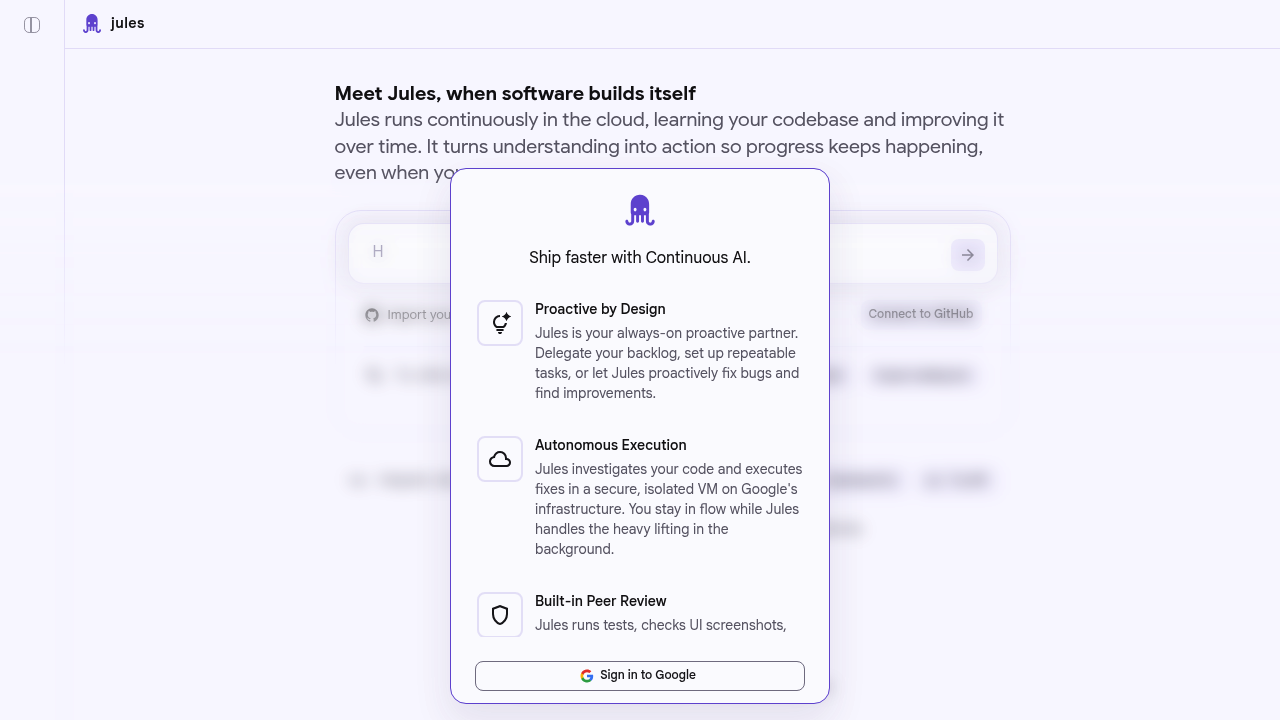
Jules by Google: An Async GitHub Coding Agent as a Cursor Alternative
Jules is an AI coding agent developed by Google, designed to handle asynchronous software engineering tasks on GitHub repositories. It runs in a secure cloud virtual machine, reads codebases, executes fixes, and submits pull requests — operating as a background autonomous developer rather than an in-IDE assistant. As a Cursor alternative, it targets engineering teams who want to offload routine PR work, bug fixes, and dependency updates without changing their existing IDE or workflow.
Jules vs. Cursor: Quick Comparison
| Jules | Cursor | |
|---|---|---|
| Type | Async cloud coding agent (GitHub-integrated) | Standalone IDE (VS Code fork) |
| Pricing | Free tier (15 tasks/day); paid plans available | Free / $20 / $40 per month |
| LLM choice | Google models (Gemini-based); not user-selectable | Built-in models + own key |
| Offline / local models | No — cloud-only, runs on Google infrastructure | No |
| Open source | No | No |
| Codebase indexing | Yes — clones and analyzes repository per task | Yes (automatic) |
| Multi-file edits | Yes — submits full PRs across files | Yes |
| Works asynchronously | Yes — runs in background, no IDE required | No — synchronous, in-IDE only |
Key Strengths
- Async task execution without an IDE: Jules does not require you to be in an editor. You assign a task — fix this bug, resolve this failing test, update this dependency — and Jules clones the repository into a secure cloud VM, plans the work, writes code, and opens a pull request. The developer reviews the PR and merges; no babysitting required. This workflow fits teams already using GitHub as their coordination layer.
- Direct GitHub integration: Jules connects directly to GitHub repositories, reads open issues, and creates branches and pull requests on behalf of the developer. It supports parallel task execution — multiple tasks can run concurrently depending on the plan tier. The GitHub-native workflow means minimal onboarding: no new toolchain, no local setup, no IDE plugin to install.
- Google-backed infrastructure and model access: Jules runs on Google's infrastructure with Gemini-family models, providing access to large-context reasoning for complex multi-file engineering problems. As of mid-2025, Jules exited beta and launched with a structured free and paid tier, making it one of the few Google-developed coding agents available for general use.
- Secure isolated execution environment: Each Jules task runs in an isolated cloud VM with access only to the target repository. There is no persistent cross-task state, no shared execution environment between users. Google positions this as a security advantage over local agents that execute on the developer's machine with broader system access.
- Ideal for backlog and maintenance tasks: Jules excels at tasks that are well-defined but time-consuming: resolving failing tests, upgrading dependencies, fixing static analysis warnings, implementing small features from issue descriptions. These tasks benefit from async execution because they don't require interactive feedback loops with the developer.
Known Weaknesses
- Not an IDE replacement: Jules is a task-execution agent, not an interactive coding environment. It cannot replace Cursor for real-time autocompletion, exploratory coding, pair programming sessions, or iterative debugging in-editor. The workflows are fundamentally different: Cursor is for active development, Jules is for delegating defined tasks.
- Limited model customization: Jules uses Google's own Gemini models and does not support user-provided API keys or alternative LLM providers. Teams that have standardized on Anthropic or OpenAI models for other tooling cannot switch Jules to use those models.
- Free tier task limits are tight: The introductory free tier caps at 15 individual daily tasks and 3 concurrent tasks — down from 60 tasks during the beta period. For active engineering teams, this limit can be reached quickly, pushing organizations toward paid plans whose pricing is not fully publicly documented.
Best For
Jules is the right tool for engineering teams that use GitHub and want to delegate routine, well-defined coding tasks without switching IDEs or installing new tooling. It fits teams with a backlog of maintenance work — test fixes, dependency upgrades, small feature implementations from issue trackers — where the definition of done is a merged pull request. Jules is not the right tool for interactive pair programming, exploratory feature development, or teams that need a coding assistant inside their editor. Think of Jules as a background engineering contractor: assign it a task, review the PR, merge.
Pricing
- Free (Introductory Access): 15 individual tasks per day, 3 concurrent tasks; full access to Jules' GitHub integration and PR creation; no credit card required
- Paid plans: Available with higher task limits and concurrent execution; contact Google for pricing details
Prices are subject to change. Check the Jules official site for current details.
Technical Details
- Models supported: Google Gemini-family models (specific model version not publicly disclosed)
- Context window: Not publicly documented; Jules reads full repository context per task
- IDE / platform: Web-based (no IDE installation required); GitHub integration; cloud execution
- Offline / local models: No — cloud-only, no local execution option
- Codebase indexing: Yes — repository cloned per task into isolated cloud VM
- API access: Not publicly documented
- Open source: No
- VCS integration: GitHub (native); GitLab and Bitbucket not publicly confirmed
How It Compares to Cursor
Cursor is an interactive AI-first IDE for real-time coding; Jules is an async task-delegation agent for background PR work. These are complementary rather than directly competing tools for most workflows. The developer using Cursor for feature development could also use Jules to handle failing test suites or dependency upgrades in the background. Where they do compete is on developer time: both aim to reduce the time a human spends on routine coding tasks. Cursor does it interactively in the editor; Jules does it asynchronously via pull requests. Cursor is more flexible; Jules requires no IDE change and handles longer-horizon tasks autonomously.
Conclusion
Jules is a focused Cursor alternative for teams that want to delegate discrete GitHub tasks to an AI agent without changing their development environment. Its free tier is generous enough to evaluate for maintenance work, and its GitHub-native PR workflow keeps the review and merge process in the developer's existing tools. It is not a Cursor replacement for interactive development — it is a complement for async task execution.
Sources
FAQ
Is Jules free?
Yes, Jules has a free introductory tier that allows 15 individual coding tasks per day and 3 concurrent tasks. Paid plans with higher limits are available. During beta, the limit was 60 tasks per day, so the free tier is more restrictive post-launch.
Does Jules work with VS Code?
No. Jules is not a VS Code extension or IDE plugin. It works directly through GitHub — you assign tasks via the Jules web interface, it clones your repository, executes the work in a cloud VM, and opens a pull request. No IDE installation is required.
How does Jules compare to Cursor?
Cursor is an interactive AI IDE for real-time pair programming and in-editor code generation. Jules is an async coding agent that runs in the background and submits GitHub pull requests — no editor required. They serve different workflows: Cursor for active development, Jules for delegating defined tasks like fixing tests or updating dependencies.
What kinds of tasks can Jules handle?
Jules works best on well-defined, bounded tasks: resolving failing tests, fixing bugs described in GitHub issues, updating dependencies, implementing small features from issue descriptions, and running code migrations. It is not suited for exploratory coding or tasks requiring interactive developer feedback during execution.
Reviews
No reviews yetSimilar alternatives in category

Claude Code
Terminal-first AI coding assistant for autonomous development tasks.

Aider — Cursor alternative
Aider is a leading open-source AI pair programming tool that allows you to edit code in your local git repository directly from the terminal or through various community GUIs.

Amp
An agentic coding tool engineered for outcomes, with no token constraints.