Cosine
Cosine is an autonomous AI software engineering agent that operates across CLI, desktop app, and cloud, enabling developers to hand off complex coding tasks end-to-end without micromanagement.
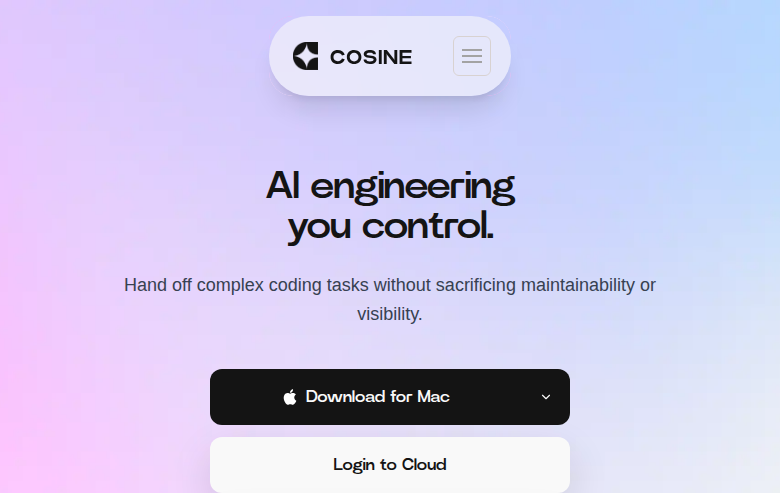
Cosine: A Cursor Alternative for Autonomous Multi-Surface AI Engineering
Cosine is an autonomous AI software engineering agent developed by Cosine AI. Unlike IDE-integrated assistants, it operates across three surfaces—CLI, desktop app, and cloud—sharing context across all of them. As a Cursor alternative, it targets professional developers who need a fully autonomous agent capable of handling multi-step engineering tasks end-to-end without human micromanagement.
Cosine vs. Cursor: Quick Comparison
| Cosine | Cursor | |
|---|---|---|
| Type | Autonomous CLI + Desktop + Cloud Agent | Standalone IDE (VS Code fork) |
| Pricing | Hobby $20/seat/month, Pro $200/seat/month | Free / $20 / $40 per month |
| LLM choice | Proprietary Cosine models | Built-in models + own key |
| Offline / local models | No | No |
| Open source | No | No |
| Codebase indexing | Yes (cloud context) | Yes (automatic) |
| Multi-file edits | Yes | Yes |
Key Strengths
- Three surfaces, one context: Cosine's biggest differentiator is that your CLI, desktop app, and cloud environment all share the same account, context, and session state. You can start a task on the CLI and resume it on the desktop app without losing any work or context—something no other tool currently offers at this level of polish.
- Fully autonomous task execution: Cosine is built from the ground up as an autonomous agent. It reads your code, plans a solution, writes implementation across multiple files, runs tests, and iterates—all without requiring constant confirmation. For complex engineering tasks that would take Cursor multiple back-and-forth sessions, Cosine executes them in a single autonomous run.
- Transparent credit-based pricing: The Hobby plan gives 5 million credits per seat per month at $20, while the Professional plan provides 60 million credits at $200/seat/month. Each action type has a predictable credit cost, letting you forecast usage with more precision than opaque "fast request" quotas used by other tools.
- Parallel agent execution: Cosine supports running multiple agents simultaneously on different tasks. This is especially valuable for teams: while one agent is fixing a bug, another can be writing tests for a new feature. Cloud execution enables scale beyond what a local machine can handle.
Known Weaknesses
- Credit cost unpredictability in practice: While the credit system is transparent on paper, large autonomous tasks can consume credits faster than expected. Developers working on large monorepos or long sessions may burn through their monthly allocation quickly on the Hobby tier, making the Professional plan effectively required for heavy use.
- Not a conversational assistant: Cosine is an agent, not a chat assistant. If you want to ask questions about your code, get explanations, or brainstorm ideas interactively, Cosine is not the right tool. It's designed for task execution, not dialogue—which means developers used to Cursor's chat panel will need to adjust their workflow significantly.
- Dependency on cloud execution: Large parallel agent jobs require Cosine's cloud infrastructure. Teams with strict data sovereignty requirements or air-gapped environments cannot currently use Cosine's full parallel capabilities.
Best For
Cosine is best suited for professional software engineers and engineering teams who need to delegate entire coding tasks—not just individual lines or functions—to an AI agent. It's ideal for workflows where you define a task at a high level and want the agent to handle implementation, testing, and iteration autonomously. Teams doing high-volume development who want to parallelize AI-assisted work across multiple tasks simultaneously will find Cosine's credit-based parallel execution model particularly compelling.
Pricing
- Hobby: $20/seat/month — 5 million credits
- Professional: $200/seat/month — 60 million credits
- Enterprise: Custom pricing — contact Cosine AI for details
- Free trial: Limited free access available to evaluate the platform
Prices are subject to change. Check the official pricing page for current details.
Technical Details
- Models supported: Proprietary Cosine AI models (not publicly disclosed)
- Context window: Not publicly documented
- IDE / platform: CLI, Desktop application (macOS, Windows, Linux), Cloud/Web
- Offline / local models: No
- Codebase indexing: Yes — full codebase context shared across surfaces
- API access: Not publicly documented
- Open source: No (proprietary)
How It Compares to Cursor
Cursor is fundamentally an IDE that enhances your coding experience with AI assistance—you remain the driver, with AI as a co-pilot. Cosine takes the opposite approach: you define the goal, and the agent drives execution. Cursor excels when you want fine-grained control over every edit; Cosine excels when you want to hand off an entire task and come back to a completed implementation. For developers already embedded in VS Code workflows, Cursor's lower friction is a real advantage, but for those comfortable delegating complex tasks entirely to an AI, Cosine represents a meaningfully different paradigm.
Conclusion
Cosine is the right choice for developers who have moved beyond AI assistance and want true AI autonomy—tools that can plan, write, test, and iterate on entire features independently. If you're tired of babysitting an AI through each step and want to delegate full engineering tasks while you focus on architecture and decisions, Cosine's multi-surface autonomous agent model is worth serious consideration over Cursor.
Sources
FAQ
Is Cosine free?
Cosine offers a limited free trial, but ongoing use requires a paid plan starting at $20/seat/month for the Hobby tier with 5 million credits. There is no permanent free tier.
Does Cosine work with VS Code?
Cosine is not a VS Code extension. It operates as a standalone CLI, desktop application, and cloud environment. It can work alongside VS Code but does not integrate directly into the VS Code editor interface.
How does Cosine compare to Cursor?
Cursor is an AI-enhanced IDE where you drive the coding process with AI assistance. Cosine is an autonomous agent that takes a task description and handles the entire implementation lifecycle independently. Cursor is better for interactive coding sessions; Cosine is better for delegating complete engineering tasks autonomously.
What programming languages does Cosine support?
Cosine supports all major programming languages since it operates at the file and codebase level rather than through language-specific plugins. Python, JavaScript, TypeScript, Go, Rust, Java, and other common languages are all supported.
Reviews
No reviews yetSimilar alternatives in category

Claude Code
Terminal-first AI coding assistant for autonomous development tasks.

Aider — Cursor alternative
Aider is a leading open-source AI pair programming tool that allows you to edit code in your local git repository directly from the terminal or through various community GUIs.

Amp
An agentic coding tool engineered for outcomes, with no token constraints.