Codebuff
Codebuff is an open-source AI coding assistant for the terminal by CodebuffAI (Y Combinator-backed). It uses a multi-agent architecture — File Picker, Planner, Editor, and Reviewer agents — to understand full codebase context and make precise changes across multiple files.
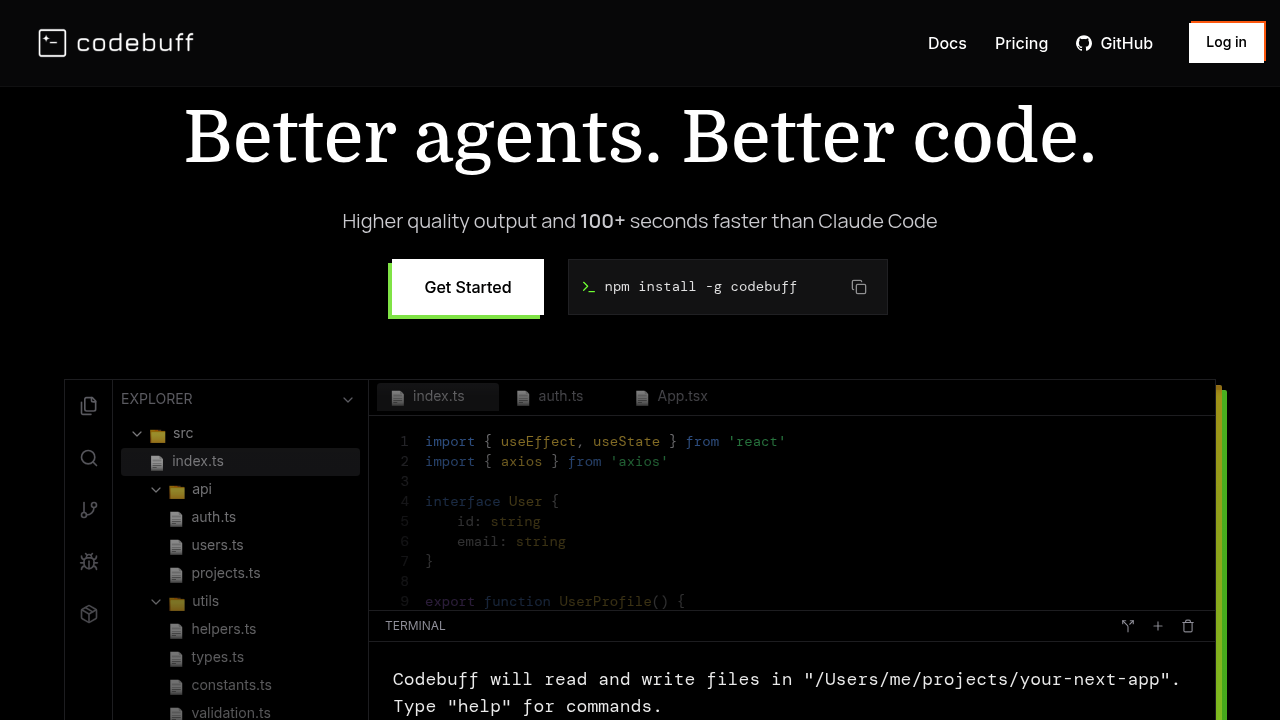
Codebuff: A Cursor Alternative for Terminal-Based Multi-Agent Coding
Codebuff is an open-source AI coding assistant for the terminal, developed by CodebuffAI (Y Combinator-backed). It uses a multi-agent architecture — File Picker, Planner, Editor, and Reviewer agents — to understand full codebase context and make precise, coordinated changes across multiple files. As a Cursor alternative, it targets developers who prefer working in the terminal and want a structured, agent-orchestrated approach to code editing rather than a GUI-based IDE assistant.
Codebuff vs. Cursor: Quick Comparison
| Codebuff | Cursor | |
|---|---|---|
| Type | CLI Agent (multi-agent) | Standalone IDE (VS Code fork) |
| Pricing | Free tier (Freebuff); Pro subscription available | Free / $20 / $40 per month |
| LLM choice | Configured per deployment | Built-in models + own key |
| Offline / local models | Not publicly documented | No |
| Open source | Yes (open-source) | No |
| Codebase indexing | Yes (File Picker agent) | Yes (automatic) |
| Multi-file edits | Yes (coordinated agents) | Yes |
Key Strengths
- Multi-agent architecture: Codebuff splits coding tasks across specialized agents: the File Picker selects relevant files, the Planner determines the edit strategy, the Editor makes changes, and the Reviewer validates them. This division of responsibility reduces hallucinations and improves accuracy on complex, multi-file tasks compared to single-agent approaches.
- Full codebase context: Rather than relying on the files currently open in an editor, Codebuff reads and understands your entire repository. The File Picker agent identifies which files are relevant to a task, so you do not need to manually add context or open files before asking for changes.
- Open source with a free tier: The Freebuff package provides open-source access with no subscription required. This lowers the barrier for individual developers and open-source contributors who want agentic coding assistance without a monthly cost.
- YC-backed active development: As a Y Combinator-backed startup, Codebuff has both funding and community traction, suggesting active development and responsiveness to user feedback. The open-source codebase also allows community contributions and forks.
Known Weaknesses
- No GUI: Codebuff operates entirely in the terminal. Developers accustomed to Cursor's inline diff visualization, sidebar chat, or GUI-based Composer will need to adapt to a text-based workflow. There is no visual preview of changes before they are applied.
- Limited model configuration documentation: Public documentation on which LLMs Codebuff supports, how to configure them, and what context window sizes are used is sparse. This makes it harder to predict performance or costs before committing to the tool.
Best For
Codebuff is best suited for developers comfortable with the terminal who work on large codebases where cross-file changes are common. The multi-agent approach is particularly valuable for refactoring tasks, implementing features that span multiple modules, and automated code reviews. Teams that want an open-source, cost-effective alternative to Cursor's GUI-based agent will find Codebuff a strong fit.
Pricing
- Freebuff (free tier): Open-source, no subscription required. Access via the Freebuff package.
- Pro subscription: Paid plan available. Exact pricing not publicly listed; check the official site for current details.
Prices are subject to change. Check the official Codebuff site for current details.
Technical Details
- Models supported: Not publicly documented in detail
- Context window: Not publicly documented
- IDE / platform: CLI (terminal)
- Offline / local models: Not publicly documented
- Codebase indexing: Yes, via File Picker agent
- API access: Not publicly documented
- Open source: Yes
How It Compares to Cursor
Cursor provides a polished IDE experience with GUI-based AI assistance, inline diffs, and a curated model roster. Codebuff focuses entirely on terminal-based agentic coding with a multi-agent pipeline that handles planning and review internally. Cursor is more accessible for developers new to AI coding tools; Codebuff is more powerful for terminal users tackling large, multi-file refactors. Cursor charges a monthly subscription for full-featured access; Codebuff offers a free open-source tier.
Conclusion
Codebuff is the right choice for terminal-native developers who want a structured, multi-agent approach to codebase-wide editing without paying for a GUI IDE. If you need visual diffs, an embedded chat interface, or broad model selection with documented configuration, Cursor or another GUI-based tool is a better fit. For CLI-first developers managing complex codebases, Codebuff's agent pipeline offers a genuinely different and potentially more rigorous approach to AI-assisted coding.
Sources
FAQ
Is Codebuff free?
Yes, Codebuff has a free tier called Freebuff, which provides open-source access without a subscription. A paid Pro plan is also available for higher usage.
Does Codebuff work with VS Code?
Codebuff is a terminal-based CLI agent and does not integrate directly with VS Code as an extension. It operates independently of any editor.
How does Codebuff compare to Cursor?
Cursor is a GUI IDE with inline AI; Codebuff is a terminal CLI agent with a multi-agent pipeline. Cursor is easier to use visually; Codebuff is more powerful for automated, multi-file codebase changes in a CLI workflow.
What makes Codebuff's multi-agent approach different?
Codebuff splits the coding task across four specialized agents — File Picker, Planner, Editor, and Reviewer — rather than using a single model for everything. This reduces errors on complex tasks by having each agent focus on a specific part of the process.
Reviews
No reviews yetSimilar alternatives in category

Claude Code
Terminal-first AI coding assistant for autonomous development tasks.

Aider — Cursor alternative
Aider is a leading open-source AI pair programming tool that allows you to edit code in your local git repository directly from the terminal or through various community GUIs.

Amp
An agentic coding tool engineered for outcomes, with no token constraints.